


確認したWindowsのバージョン
以下のWindows機で、確認しました。
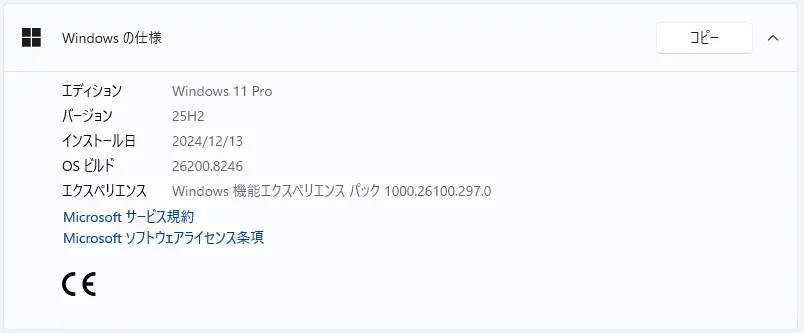
Windows 11 Version 25H2 PC です。
Windows Update ( 2026-05 セキュリティ パッチ (KB5089549) (26200.8457) )が表示される前の状況です。
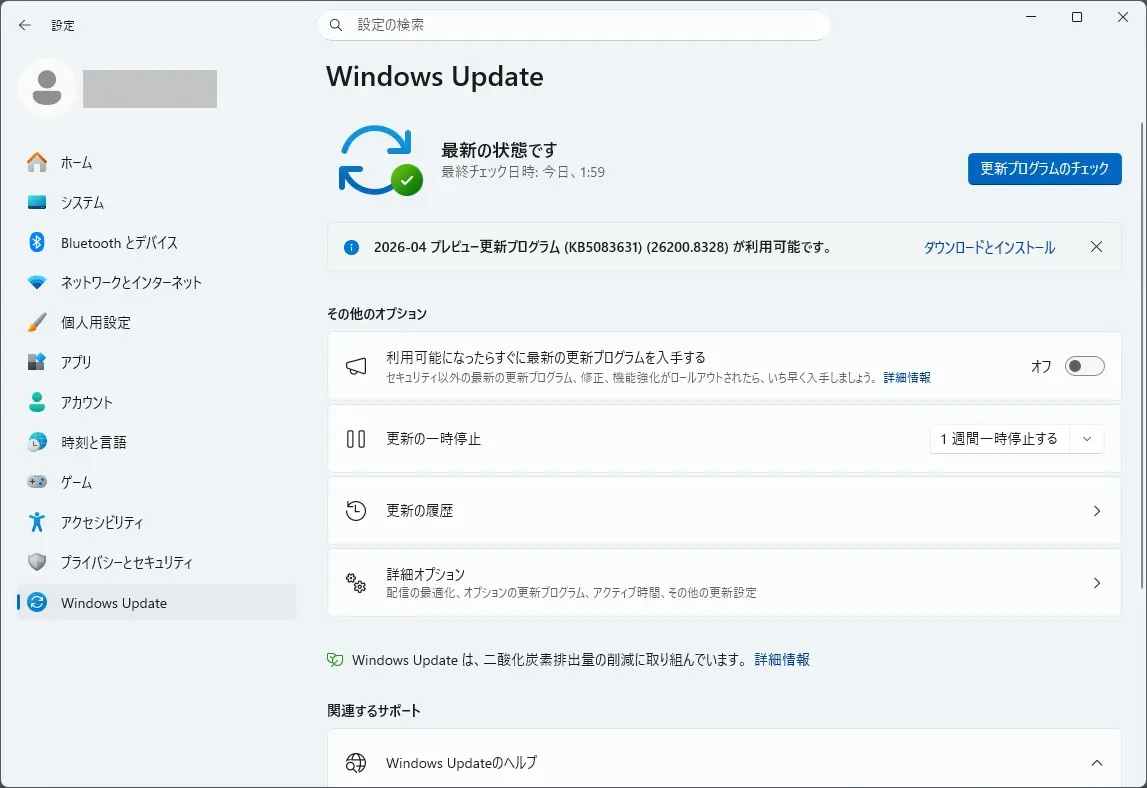
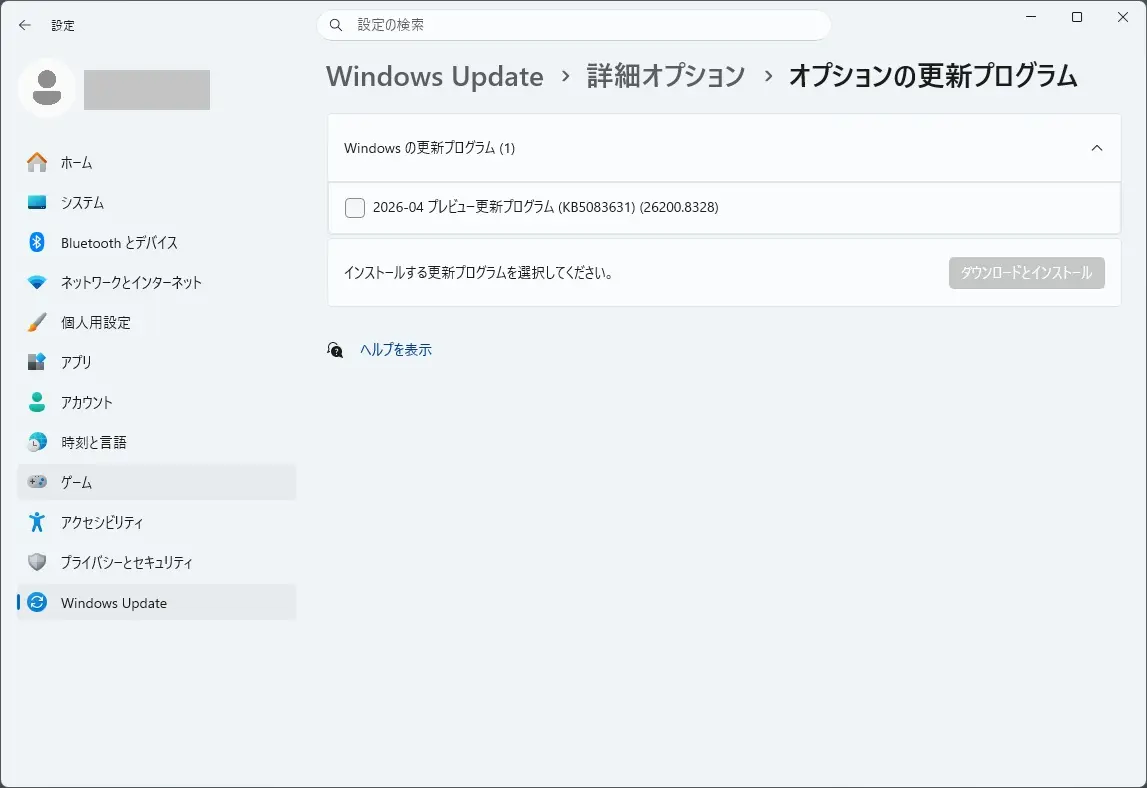
2026-04 セキュリティ パッチ (KB5083631) (26200.8328) が表示されていました。
KB5083631 は、こちらから確認できます。

2026 年 5 月のセキュリティ更新プログラム
2026年5月のセキュリティ更新プログラムは、こちらから確認できます。

本日(2026年5月13日)、2026-05 セキュリティ パッチ (KB5089549) (26200.8457) が自動インストールされました。
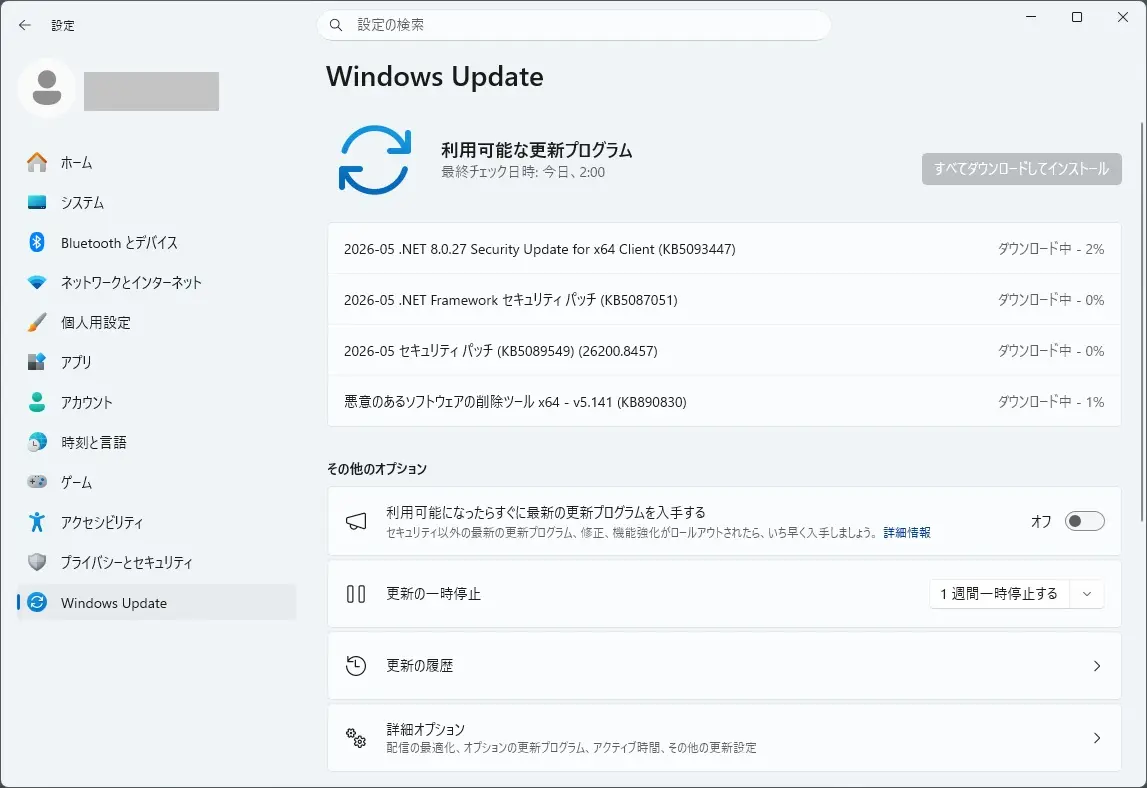
2026-05 セキュリティ パッチ (KB5089549) (26200.8457) とは
KB5089549 は、こちらから確認できます。

お知らせとメッセージ
このセクションでは、お知らせ、変更ログ、サポート終了通知など、このリリースに関連する重要な通知を提供します。
Windows セキュア ブート証明書の有効期限Windows セキュア ブート証明書の有効期限
重要: ほとんどの Windows デバイスで使用されるセキュア ブート証明書の有効期限は、2026 年 6 月以降に設定されます。 これは、特定の個人用デバイスとビジネス デバイスが時間内に更新されていない場合に安全に起動する機能に影響する可能性があります。 中断を回避するために、ガイダンスを確認し、証明書を事前に更新するためのアクションを実行することをお勧めします。 詳細と準備手順については、「Windows セキュア ブート証明書の有効期限と CA 更新プログラム」を参照してください。
変更ログ
日付の変更 説明を変更する 2026 年 5 月 15 日 既知の問題が追加されました: “2026 年 5 月のセキュリティ更新プログラムがエラー 0x800f0922でインストールに失敗しました” 2026 年 5 月 13 日
- セキュア ブートのリリース ノートを追加しました:この更新プログラムは、対象となるデバイスの C:\Windowsの下に新しい SecureBoot フォルダーを追加します。
- 夏時間 (DST) 更新プログラムを追加しました。
改善
この更新プログラムには、次の更新プログラムの一部であった新機能と品質の向上が含まれています。
- 2026 年 4 月 14 日 — KB5083769 (OS ビルド 26200.8246 および 26100.8246)
- 2026 年 4 月 30 日 — KB5083631 (OS ビルド 26200.8328 および 26100.8328) プレビュー
この更新プログラムは、次のガイドに記載されているセキュリティの脆弱性を解決します。
次の概要では、この更新プログラムで対処される主な品質の向上について説明します。 角かっこ内の太字のテキストは、変更の項目または領域を示します。
- [セキュア ブート]
- この更新プログラムでは、Windows 品質の更新プログラムには、データを対象とする信頼性の高いデバイスが追加され、新しいセキュア ブート証明書を自動的に受信できるデバイスの範囲が広がります。 デバイスは、十分な正常な更新シグナルを示し、制御された段階的なロールアウトを維持した後にのみ、新しい証明書を受け取ります。
- この更新プログラムは、対象となるデバイスの C:\Windowsの下に新しい SecureBoot フォルダーを追加します。 このフォルダーには、デバイスフリート全体で更新プログラムを積極的に管理する IT プロフェッショナルを持つ組織向けのサンプル スクリプトが含まれています。 これらのスクリプトを使用すると、セキュア ブート証明書の更新状態を検出し、Active Directory 環境の安全なロールアウト メカニズムを使用してデプロイを自動化できます。 詳細については、「セキュア ブート E2E オートメーション ガイドのサンプル」を参照してください。
- [ブート マネージャーのサービス更新プログラム]
- この更新プログラムにより、ブート ファイルの更新後の起動の信頼性が向上するため、デバイスは BitLocker の回復に入らずに正常に起動します。
- (既知の問題)修正済み: この更新プログラムは、無効な PCR7 (プラットフォーム構成レジスタ 7) 構成など、特定のトラステッド プラットフォーム モジュール (TPM) 検証設定を使用してシステム上のブート ファイルを更新した後に、一部のデバイスが BitLocker Recovery に入る可能性がある問題に対処します。 これは、2026 年 4 月のセキュリティ更新プログラム (KB5083769) をインストールした後に発生する可能性があります。
- [接続] この更新プログラムは、サービスが応答しなくなるのを防ぐために、Simple Service Discovery Protocol (SSDP) 通知の信頼性を向上させます。
- [夏時間 (DST)]この更新プログラムでは、アラブ共和国の 2023 DST の変更がサポートされています。
以前の更新プログラムを既にインストールしている場合、デバイスは、このパッケージに含まれる新しい更新プログラムのみをダウンロードしてインストールします。
AI コンポーネント
このリリースでは、次の AI コンポーネントが更新されます。
AI コンポーネント バージョン イメージの検索 1.2604.515.0 コンテンツ抽出 1.2604.515.0 セマンティック分析 1.2604.515.0 設定モデル 1.2604.515.0
となっています。現在、このアップデートに関する問題が見受けられています。
2026 年 5 月のセキュリティ更新プログラムがエラー 0x800f0922でインストールできない現象
この更新プログラム (KB5089549) をインストールすると、一部のデバイスがエラー コード 0x800f0922でインストールを完了できない場合があります。 この問題は、 EFI システム パーティション (ESP) の空き領域が限られているデバイスで発生します(特に、10 MB 以下の空き領域がある場合)。
影響を受けるデバイスで発生する可能性がある内容:
- この更新プログラムは、初期フェーズ中に正常にインストールされます。
- 再起動フェーズでは、約 35 ~ 36% の完了時にインストールが失敗します。
- その後、Windows は更新プログラムをロールバックします。
- メッセージが表示される場合があります:「何かが計画どおりに進まなかった。 変更を元に戻す」
- インストールが失敗し、エラー コードが0x800f0922。
この問題の結果、次のようなログ エントリが C:\Windows\Logs\CBS\CBS.logに表示され、EFI システム パーティションの空き領域が不足していることを示す場合があります。
- SpaceCheck: 空き領域が不足しています
- ServicingBootFiles が失敗しました。 エラー = 0x70
- SpaceCheck: <値> Microsoft ブート ディレクトリの外部にあるサード パーティ/OEM ファイルで使用されます
回避策
影響を受けるお客様は、次のいずれかの回避策を使用して、この問題を軽減できます。
オプション 1: ESP レジストリ設定を変更して更新プログラムのインストールを許可する
重要: レジストリを誤って編集すると、深刻なシステムの問題が発生する可能性があります。 変更を加える前に、常にレジストリをバックアップしてください。
- 管理者として コマンド プロンプト を開きます。
- 次のコマンドを実行します: reg add “HKLM\SYSTEM\CurrentControlSet\Control\Bfsvc /v EspPaddingPercent /t REG_DWORD /d 0 /f”
- 影響を受けるデバイスを再起動します。
- 更新プログラムのインストールを再試行してください。
オプション 2: 既知の問題のロールバック (KIR) を使用して問題を軽減する
この問題は、既知の問題ロールバック (KIR) を使用して軽減されます。 解決は既にコンシューマー デバイスと非マネージド ビジネス デバイスに自動的に反映されています。 Windows デバイスを再起動すると、解決がより迅速に適用される場合があります。
エンタープライズ管理デバイス
WINDOWS 更新プログラムが IT 部門によって管理されているデバイスの場合、管理者は特別なグループ ポリシーをインストールして構成することで軽減策を適用できます。 ポリシーは、「コンピューターの構成 > 管理用テンプレート」 > <グループ ポリシー名前を以下の> に示しています。
グループ ポリシーダウンロード
Windows 11、バージョン 25H2 および Windows 11 バージョン 24H2: KB5089549 260514_06221 既知の問題のロールバック
重要: この問題を解決するには、お使いのバージョンの Windows に一致するグループ ポリシーをインストールして構成する必要があります。 ポリシーを適用するには、影響を受けるデバイスを再起動する必要もあります。 このグループ ポリシーは、問題の原因となる変更を一時的に無効にします。
詳細については、「グループ ポリシーを使用して既知の問題のロールバックをデプロイする方法」を参照してください。
解決が進行中であり、今後の Windows 更新プログラムに含まれる予定です。 このドキュメントは、解決が利用可能になると更新されます。
となっています。
2026-05 .NET 8.0.27 Security Update for x64 Client (KB5093447) も、自動適用されました
本日は、2026-05 .NET 8.0.27 Security Update for x64 Client (KB5093447) も自動適用されました(再起動せず適用されました)。
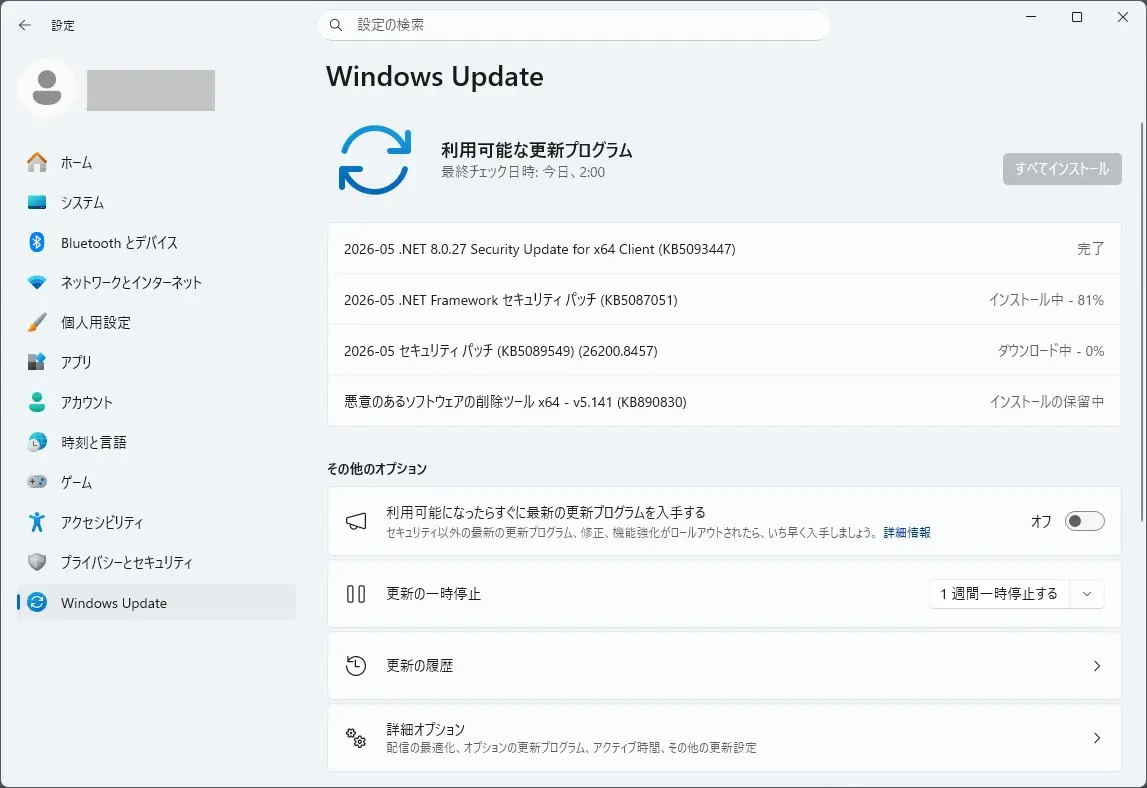
KB5093447 は、ページが確認でき次第掲載します。
2026-05 .NET Framework セキュリティ パッチ (KB5087051) も、自動適用されました
本日は、2026-05 .NET Framework セキュリティ パッチ (KB5087051) も自動適用されました(再起動があります)。
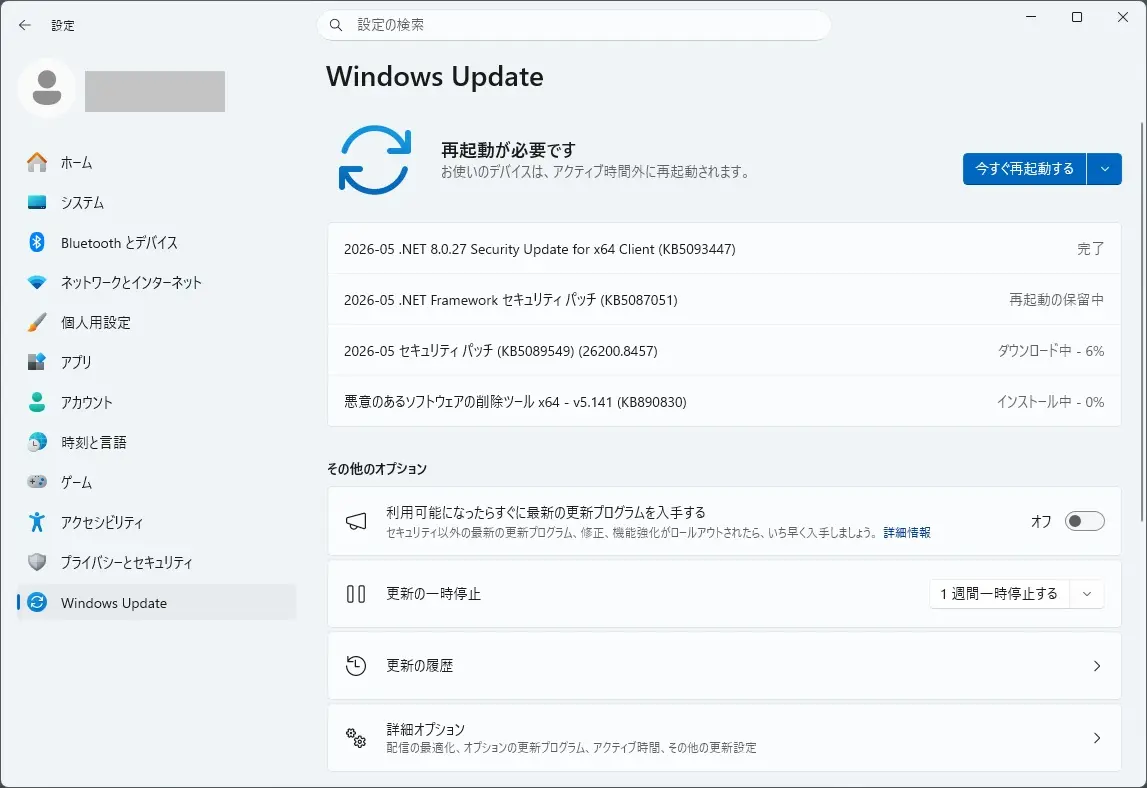
KB5087051 は、こちらから確認できます。

概要
セキュリティの機能強化
CVE-2026-32177 – .NET Framework の特権の昇格の脆弱性このセキュリティ更新プログラムは、CVE-2026-32177 で詳述されている特権の昇格の脆弱性に対処します。
CVE-2026-35433 – .NET Framework の特権の昇格の脆弱性このセキュリティ更新プログラムは、CVE-2026-35433 で詳述されている特権昇格の脆弱性に対処します。
品質と信頼性の強化
この更新プログラムでは、新しい品質と信頼性の強化はありません。
となっています。このアップデートによる問題は見受けられていない模様です。
まとめ
本日(2026年5月13日) 2026-05 .NET 8.0.27 Security Update for x64 Client (KB5093447) が自動適用されました(再起動は不要でした)。
2026-05 .NET Framework セキュリティ パッチ (KB5087051) も自動適用されました(再起動があります)。
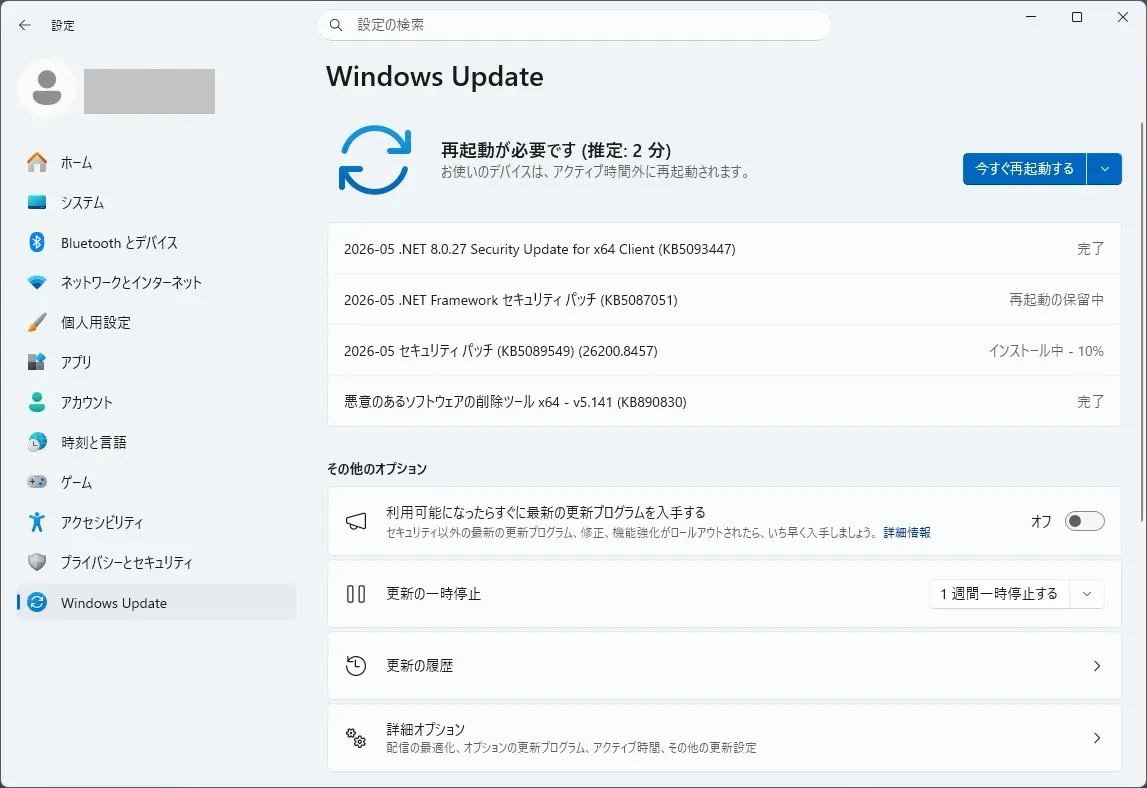
2026-05 セキュリティ パッチ (KB5089549) (26200.8457) も自動適用されました(再起動が必要です)。
手持ちのデスクトップパソコンでは、
インストール表示が出るまで:約7分強
再起動からアップデート完了まで:8分弱(途中2回再起動あり)でした。
ダウンロードは、約7分強を要しました。
「状態: ダウンロード中 – 6%」 で、2分弱変化しませんでした。
「状態: ダウンロード中 – 99%」 で、2分半強変化しませんでした。
「状態: インストール中 – 10%」 で、1分強変化しませんでした。
「状態: インストール中 – 17%」 で、2分弱変化しませんでした。
「状態: インストール中 – 18%」 で、1分弱変化しませんでした。
「状態: インストール中 – 22%」 で、1分弱変化しませんでした。
「状態: インストール中 – 29%」 で、1分弱変化しませんでした。
「状態: インストール中 – 43%」 で、2分弱変化しませんでした。
「状態: インストール中 – 75%」 で、2分強変化しませんでした。
「状態: インストール中 – 93%」 で、30秒弱変化しないといった過程を経て、「今すぐ再起動する」表示が出ました。
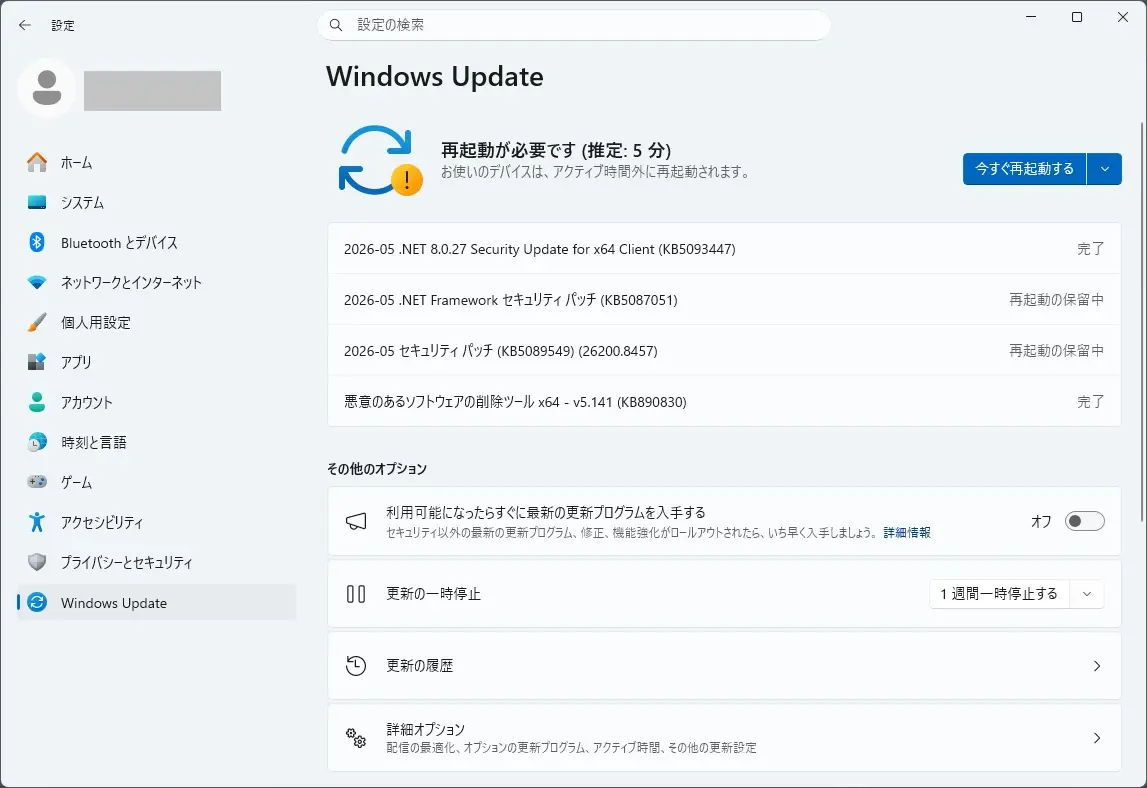
「今すぐ再起動する」を押すと、
「更新が進行中です。」
「30% 完了。」が表示されたあと、再起動が発生しました。
「100% 完了。」が表示されたあと、再起動が発生しログイン画面が表示されました。
本日のアップデートで、
KB5089549 適用前
エディション Windows 11 Pro
バージョン 25H2
インストール日 2024/12/13
OS ビルド 26200.8246
エクスペリエンス Windows 機能エクスペリエンス パック 1000.26100.297.0
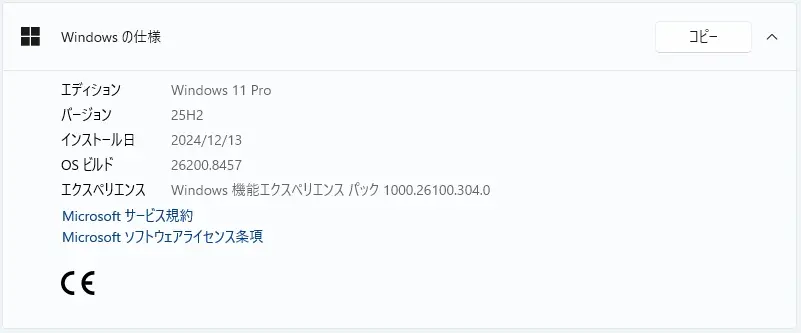
KB5089549 適用後
エディション Windows 11 Pro
バージョン 25H2
インストール日 2024/12/13
OS ビルド 26200.8457
エクスペリエンス Windows 機能エクスペリエンス パック 1000.26100.304.0
OS ビルドが 26200.8246 から 26200.8457 に変わりました。
エクスペリエンス Windows 機能エクスペリエンス パックが 1000.26100.297.0 から 1000.26100.304.0 に変わりました。
再度、Windows Update の更新プログラムのチェックをクリックしてみました。
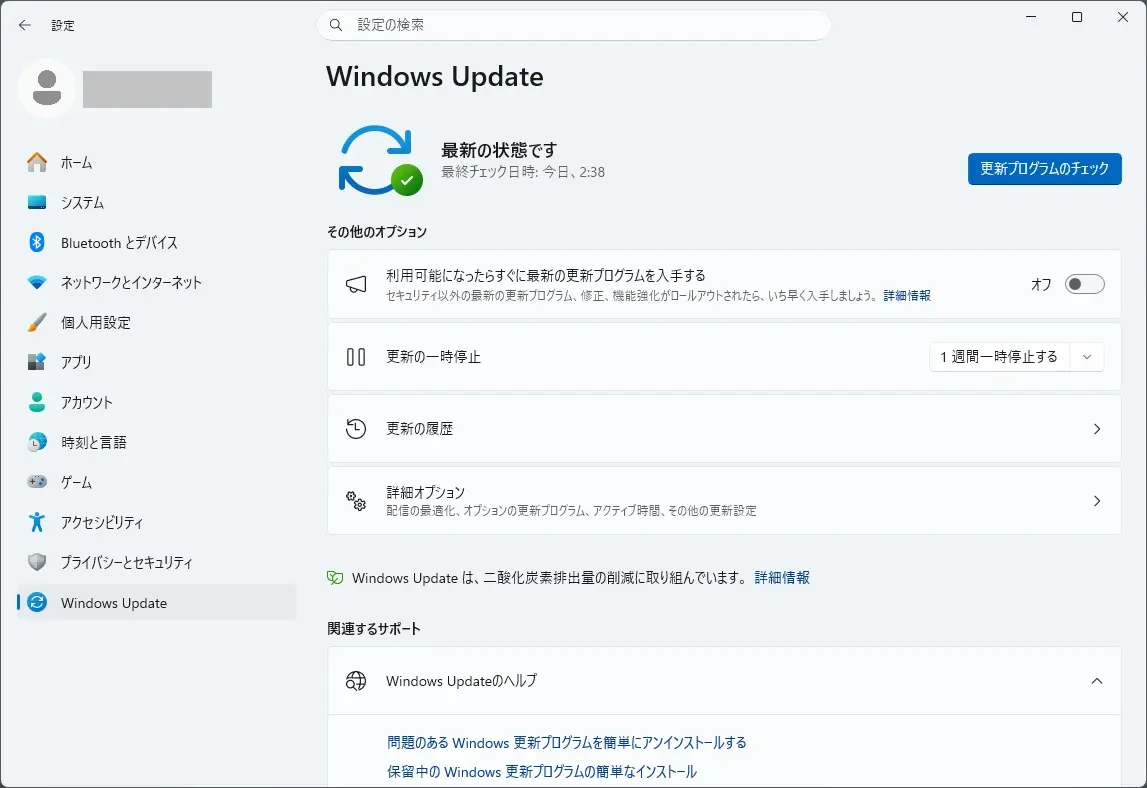
新たに追加されるアップデートはありませんでした。
次に、詳細オプションのオプションの更新プログラムを確認しました。
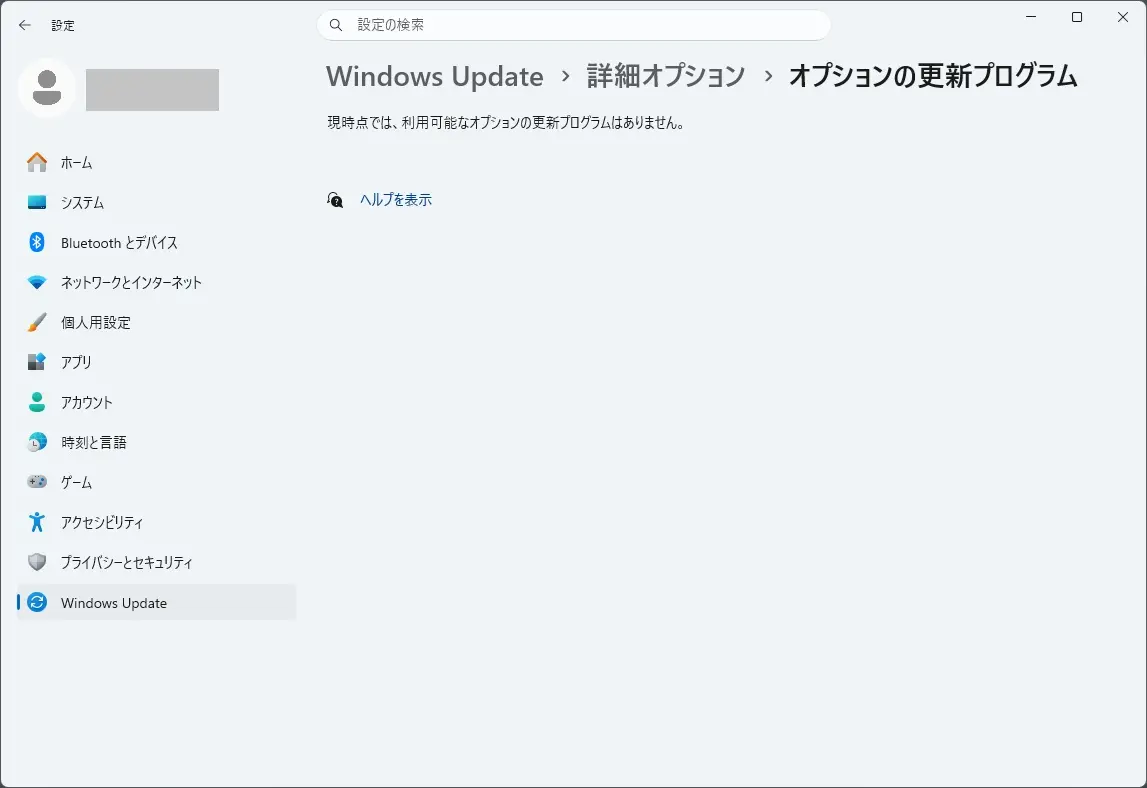
オプションの更新プログラムもありません。
セキュリティ更新プログラム リリース スケジュール (2026年) は、こちらから確認できます。

次回のセキュリティ更新プログラム公開予定日は、日本標準時2026 年 6 月 10 日 (水)となっています。
Windows 11 Home and Pro において、
Version 24H2 は、2026年10月13日でサポート終了が予定されています。
Version 23H2 は、2025年11月11日でサポート終了となりました。
Version 22H2 は、2024年10月8日でサポート終了となりました。
Version 21H2 は、2023年10月10日でサポート終了となりました。

バージョン 開始日 終了日 Version 24H2 2024年10月1日 2026年10月13日 Version 23H2 2023年10月31日 2025年11月11日 Version 22H2 2022年9月20日 2024年10月8日 Version 21H2 2021年10月4日 2023年10月10日
Windows Update に、Version 25H2 が表示されましたので、25H2にしてみました。