




確認したWindowsのバージョン
以下のWindows機で、確認しました。
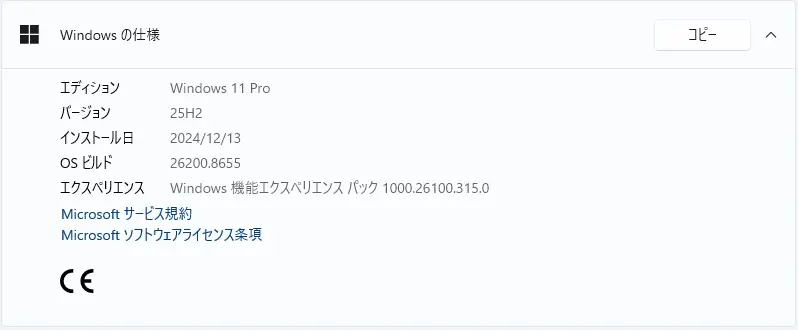
Windows 11 Version 25H2 PC です。
Windows Update ( 2026-07 セキュリティ パッチ (KB5101650) (26200.8875) )が表示される前の状況です。
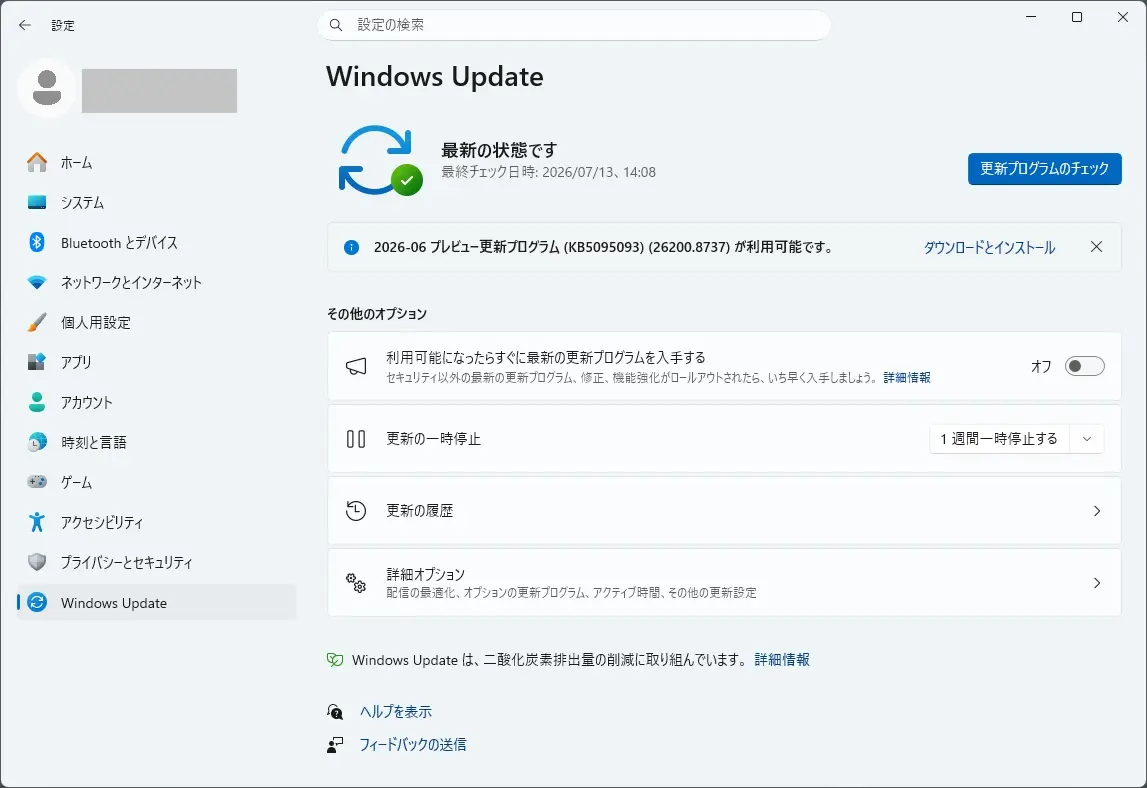
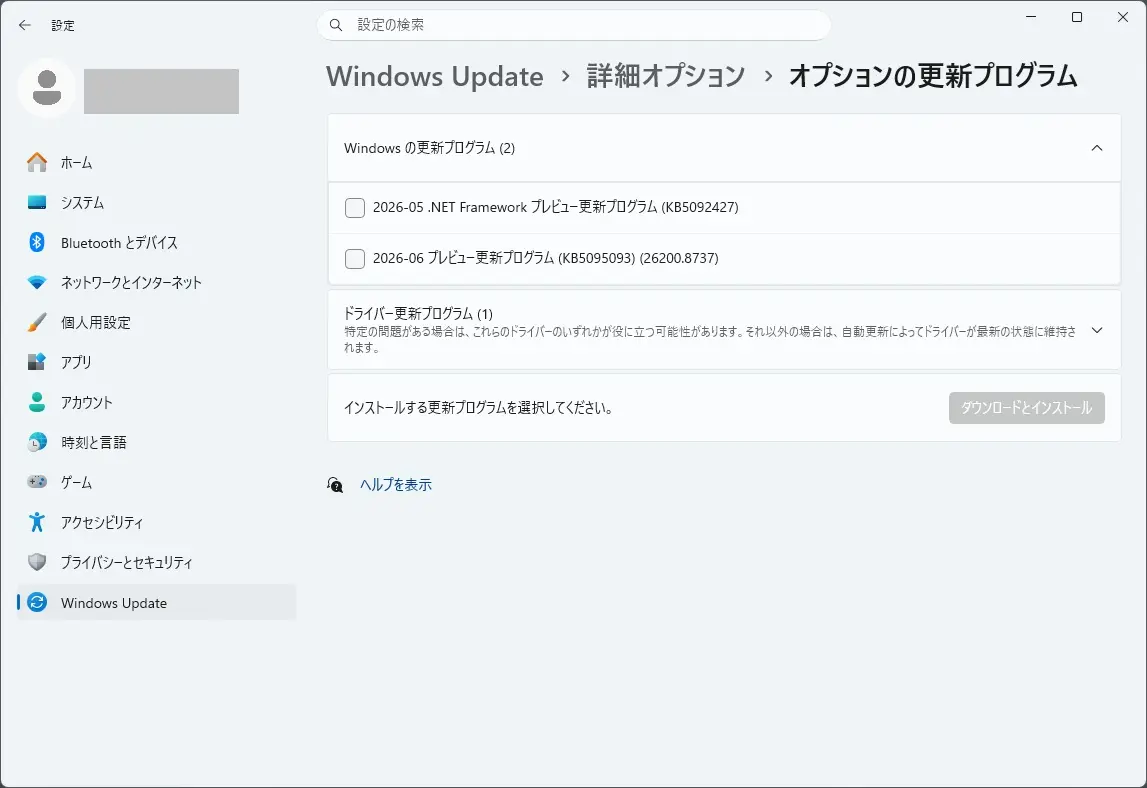
2026-06 プレビュー更新プログラム (KB5095093)(26200.8737) と 2026-05 .NET Framework プレビュー更新プログラム (KB5092427) が表示されていました。
KB5095093 と KB5092427 は、こちらから確認できます。

2026 年 7 月のセキュリティ更新プログラム
2026年7月のセキュリティ更新プログラムは、こちらから確認できます。

本日(2026年7月15日)、2026-07 セキュリティ パッチ (KB5101650) (26200.8875) が自動インストールされました。
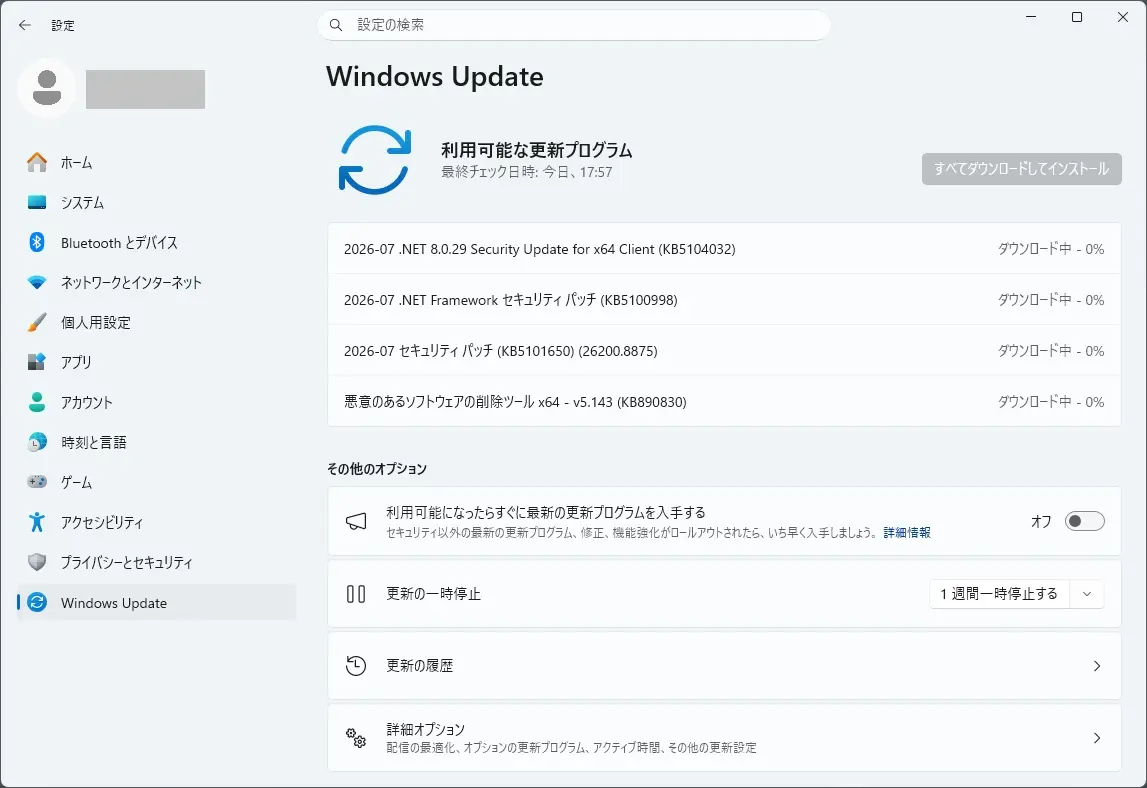
2026-07 セキュリティ パッチ (KB5101650) (26200.8875) とは
KB5101620 は、こちらから確認できます。

Announcements and messages
This section provides key notifications related to this release, including announcements, change logs, and end-of-support notices.
Update temporarily unavailable for some Dell devices with Intel processors
Important
This update might not be available for a limited number of Dell devices with Intel processors due to an incompatibility reported by Dell that can potentially cause unexpected shutdowns, poor performance, increased heat, and battery drain. We are working together with Dell to prevent the affected models from experiencing the issue and plan to release a resolution for affected devices in the coming days.
Windows Secure Boot certificate expiration
Windows Secure Boot certificate expiration
Important
Secure Boot certificates used by most Windows devices were set to expire starting in June 2026. Microsoft has been updating these certificates on PCs and non-managed business devices for the past months. Devices that haven’t received the newer certificates will continue to start, and standard Windows updates will continue to install. We will continue to install the newer certificates via Windows updates in the coming months.
End of updates
Windows 11, version 24H2 Home and Pro editions will reach end of updates on October 13, 2026. Devices running these editions will no longer receive fixes for known issues, time zone updates, technical support, or monthly security and preview updates containing protections from the latest security threats. Enterprise and Education editions remain supported until October 12, 2027.
To stay protected and up to date, we recommend you upgrade to the latest version of Windows 11.
Improvements
This update includes new features and quality improvements that were part of the following update:
- June 9, 2026—KB5094126 (OS Builds 26200.8655 and 26100.8655)
- June 23, 2026—KB5095093 (OS Builds 26200.8736 and 26100.8736) Preview
This update addresses security vulnerabilities documented in the following guide:
The following summary outlines key quality improvements addressed by this update. The bold text within the brackets indicates the item or area of the change.
- [Secure Boot] This update includes additional high confidence device targeting data, increasing coverage of devices eligible to automatically receive new Secure Boot certificates. Certificate deployment via Windows updates continues
- [Apps (Known issue)] Fixed: This update addresses an issue that affects certain third-party apps that use OLE Automation to interact with Microsoft Office. After installing the June 2026 security update (KB5094126), these apps might fail to launch Office or open documents.
- [Input] This update changes hotkey unregister and cleanup behavior. In rare cases, some built-in Windows experiences that rely on previous hotkey lifecycle behavior might temporarily stop responding to certain keyboard shortcuts. This issue can typically be resolved by restarting the app affected. If the issue is not resolved, report it through the Feedback Hub.
- [Networking] This update introduces a security hardening change that enforces TDI transport registration requirements. As a result, applications that use sockets over unregistered third-party TDI transports might stop working after installing this update. Registered TDI transports are not affected. For more information, see Third-party TDI transports might stop working after installing Windows security updates released on or after July 14, 2026.
- [Recycle Bin (known issue)] Fixed: This update addresses additional scenarios where the confirmation dialog might display an internal Recycle Bin file name instead of the original file name when permanently deleting a file. This issue might occur after installing the June 2026 security update (KB5094126)
- [Security] This update upgrades the curl tool in Windows to version 8.21.0 and includes security improvements that help protect your device.
- [Remote Desktop (RDP) Security] Support for SHA-2 certificate thumbprints has been added for trusted RDP publishers, with SHA-1 support retained only for backward compatibility and planned for future removal. New guidance is available for managing RDP file security through Group Policy to help organizations reduce phishing risks by controlling which .rdp files users can open. We recommend IT administrators migrate to SHA-256 thumbprints or a stronger algorithm as soon as possible to avoid disruption.
If you’ve already installed previous updates, your device will download and install only the new updates included in this package.
Components updates
AI components
This release updates the following AI components to version 1.2605.856.0: Image Search, Content Extraction, Semantic Analysis, and Settings Model.
To learn more, see Release information for AI components.
Servicing stack update
Includes KB5120102 (Build 26100.8872), which improves the reliability of the Windows update installation process. To learn more about SSUs, see [Simplifying on-premises deployment of servicing stack updates](https://learn.microsoft.com/windows/deployment/update/servicing-stack-updates#simplifying-on-premises-deployment-of-servicing-stack-updates).
※日本語ページが確認でき次第、差し替えます。
お知らせとメッセージ
このセクションでは、このリリースに関連する重要な通知情報(告知、変更ログ、サポート終了通知など)を提供します。
Intelプロセッサ搭載の一部のDellデバイスでは一時的に利用できないアップデート
重要
このアップデートは、Intelプロセッサ搭載の限られたDellデバイスには、Dellが報告した互換性の問題により、予期せぬシャットダウン、パフォーマンス低下、発熱、バッテリー消耗の可能性があるため、利用できない可能性があります。私たちはDellと協力して、影響を受けたモデルがこの問題を起こさないように努めており、今後数日以内に影響を受けたデバイス向けの解決策を発表する予定です。
Windowsセキュアブート証明書の有効期限
Windowsセキュアブート証明書の有効期限
重要
ほとんどのWindowsデバイスで使用されているセキュアブート証明書は、2026年6月から期限切れになる予定でした。マイクロソフトは過去数か月間、PCや非マネージドビジネスデバイスでこれらの証明書を更新しています。新しい証明書を受け取っていないデバイスは引き続き起動し、標準のWindowsアップデートもインストールを続けます。今後数ヶ月でWindowsアップデートを通じて新しい証明書のインストールを続けていきます。
更新終了
Windows 11のバージョン24H2 HomeおよびProエディションは、2026年10月13日にアップデート終了となります。これらのエディションを搭載したデバイスは、既知の問題の修正、タイムゾーンの更新、技術サポート、または最新のセキュリティ脅威からの保護を含む月次セキュリティおよびプレビューアップデートを受け取れなくなります。エンタープライズ版および教育版は2027年10月12日までサポートされています。
安全で最新の状態を維持するために、Windows 11の最新バージョンへのアップグレードをお勧めします。
改善点
このアップデートには、以下のアップデートに含まれる新機能や品質向上が含まれています。
- 2026年6月9日—KB5094126年(OSビルド26200.8655および26100.8655)
- 2026年6月23日—KB5095093(OSビルド26200.8736および26100.8736)プレビュー
このアップデートは、以下のガイドに記載されたセキュリティ脆弱性に対応します。
以下の要約は、このアップデートで取り上げられた主要な品質改善点を示しています。括弧内の太字は、変更の項目または領域を示します。
- [セキュアブート]このアップデートには、追加の高信頼度デバイスターゲティングデータが含まれ、新しいセキュアブート証明書を自動的に受け取る対象デバイスのカバー範囲が拡大されます。Windowsアップデートによる証明書の展開は継続中です
- [アプリ(既知の問題)]修正済み:このアップデートは、OLE Automationを使ってMicrosoft Officeとやり取りする特定のサードパーティアプリに影響を与える問題を解決します。2026年6月のセキュリティアップデート(KB5094126)をインストールした後、これらのアプリはOfficeの起動やドキュメントの開閉に失敗することがあります。
- [入力]このアップデートにより、ホットキーのアンレジストレーションやクリーンアップの動作が変わります。まれに、以前のホットキーライフサイクル動作に依存する組み込みのWindows体験が、特定のキーボードショートカットに一時的に反応しなくなることがあります。この問題は通常、影響を受けたアプリを再起動することで解決できます。問題が解決しない場合は、フィードバックハブを通じて報告してください。
- [ネットワーキング]このアップデートでは、TDIトランスポート登録要件を強制するセキュリティ強化の変更が導入されます。その結果、未登録のサードパーティTDIトランスポート上でソケットを使用するアプリケーションは、このアップデートをインストールした後に動作を停止する可能性があります。登録されたTDI輸送は影響を受けません。詳細については、「サードパーティのTDIトランスポートは2026年7月14日以降にリリースされたWindowsのセキュリティアップデートをインストールした後に動作しなくなる可能性があります」をご覧ください。
- [リサイクルビン(既知の問題)]修正:このアップデートでは、ファイルを永久削除する際に確認ダイアログに元のファイル名ではなく内部のごみ箱ファイル名が表示される追加のシナリオに対応しています。この問題は2026年6月のセキュリティアップデート(KB5094126)をインストールした後に起こる可能性があります。
- [警備]このアップデートではWindowsのcurlツールがバージョン8.21.0にアップグレードされ、デバイスを保護するためのセキュリティ改善が含まれています。
- [リモートデスクトップ(RDP)セキュリティ]信頼できるRDPパブリッシャー向けにSHA-2証明書のサムプリントのサポートが追加され、SHA-1のサポートは後方互換性のためのみ維持され、将来的に削除される予定です。グループポリシーを通じてRDPファイルセキュリティを管理するための新しいガイダンスがあり、ユーザーが開ける.rdpファイルを管理することでフィッシングリスクを軽減できます。IT管理者には、混乱を避けるためにできるだけ早くSHA-256のサムプリントやより強力なアルゴリズムへの移行を推奨します。
すでに以前のアップデートをインストールしている場合、デバイスはこのパッケージに含まれる新しいアップデートのみをダウンロード・インストールします。
コンポーネントのアップデート
AIコンポーネント
本リリースでは、以下のAIコンポーネントがバージョン1.2605.856.0に更新されました:画像検索、コンテンツ抽出、セマンティック分析、設定モデル。
詳細は「AIコンポーネントのリリース情報」をご覧ください。
サービススタックのアップデート
Windows アップデートのインストールプロセスの信頼性を向上させる KB5120102(ビルド 26100.8872)が含まれています。SSUについて詳しく知りたい方は、[サービススタック更新のオンプレミスデプロイの簡素化](https://learn.microsoft.com/windows/deployment/update/servicing-stack-updates#simplifying-on-premises-deployment-of-servicing-stack-updates)をご覧ください。
2026-07 .NET 8.0.29 Security Update for x64 Client (KB5104032) も、自動適用されました
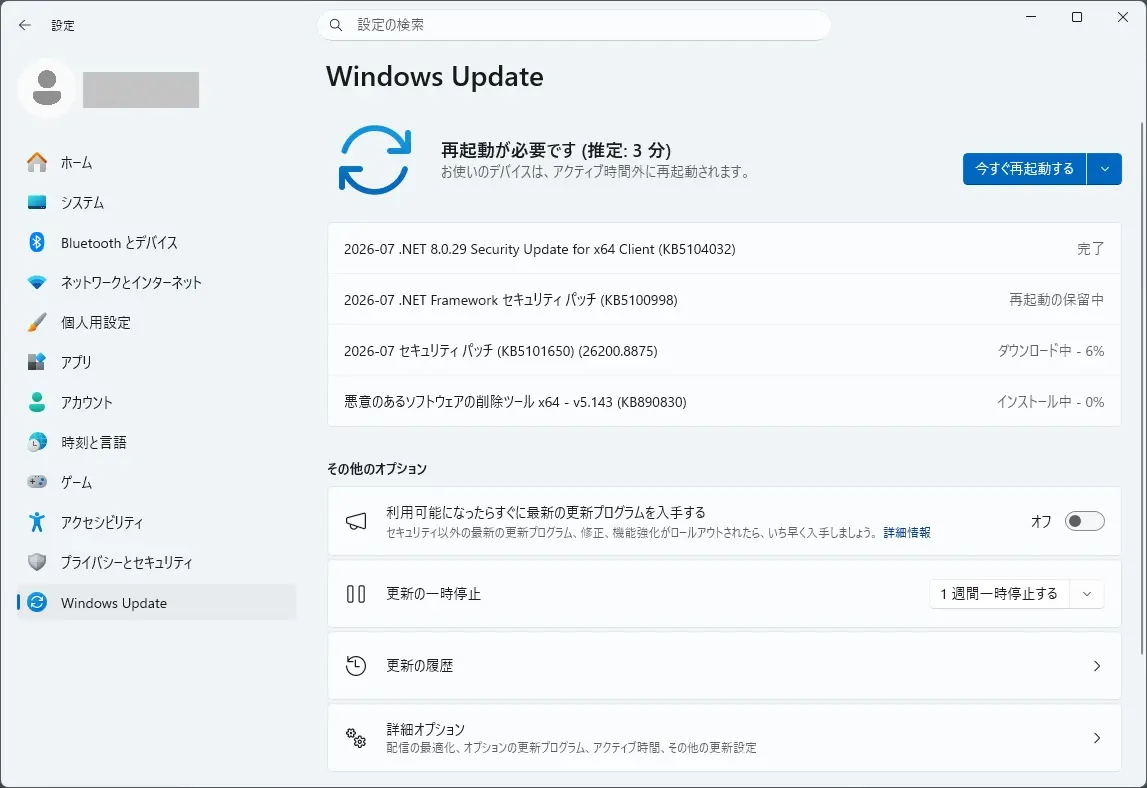
本日は、2026-07 .NET 8.0.29 Security Update for x64 Client (KB5104032) も自動適用されました(再起動せず適用されました)。
How to obtain and install the update
This update is available on Microsoft Update for Windows client operating systems and available on WSUS and MU Catalog for Windows Server operating systems.
Prerequisites
This update will be offered if you have .NET 8.0 installed on a supported version of Windows.
Restart Requirement
You may need to restart the computer after you apply this update if any affected files are being used. We recommend that you exit all .NET based applications before you apply this update.
Supported Windows Versions
This page on .NET 8.0 Supported Windows Versions provides the most up-to-date details on the supported operating system versions.
※日本語ページが確認でき次第、差し替えます。
アップデートの入手とインストール方法
このアップデートはMicrosoft Update for WindowsクライアントOSで利用可能であり、WSUSおよびMU Catalog for Windows Serverオペレーティングシステムでも利用可能です。
前提条件
このアップデートは、サポートされているWindowsバージョンに.NET 8.0をインストールしている場合に提供されます。
再開要件
このアップデートを適用した後、影響を受けたファイルが使われている場合はパソコンの再起動が必要になるかもしれません。このアップデートを適用する前に、すべての.NETベースのアプリケーションを終了することを推奨します。
対応Windowsバージョン
この「.NET 8.0 サポート Windows バージョン」ページでは、サポートされているオペレーティングシステムのバージョンに関する最新情報が提供されています。
となっています。.NET 8.0 がインストールされていない場合は、このアップデートがインストールされなくても問題ありません。
2026-07 .NET Framework セキュリティ パッチ (KB5100998) も、自動適用されました
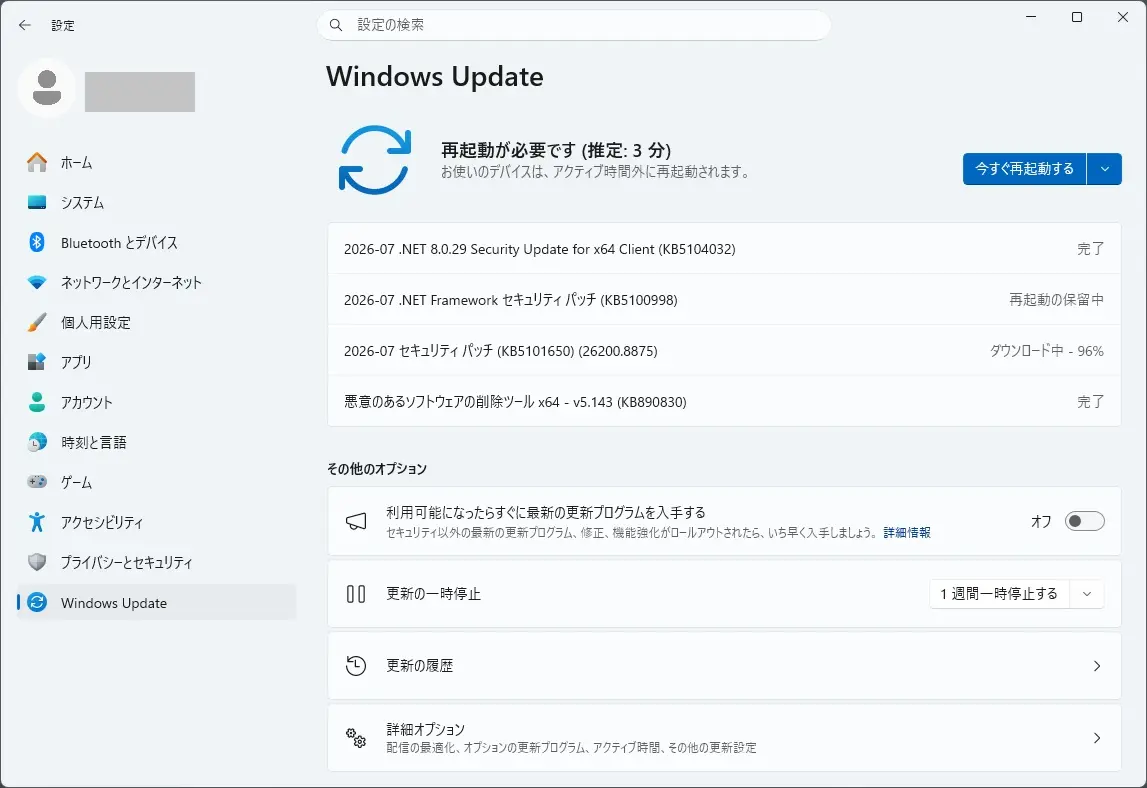
本日は、2026-07 .NET Framework セキュリティ パッチ (KB5100998) も自動適用されました(再起動があります)。
KB5100998 は、こちらから確認できます。

Summary
Security Improvements
CVE-2026-47302 – .NET Framework Denial of Service vulnerability
This security update addresses a denial of service vulnerability detailed in CVE-2026-47302.CVE-2026-47304 – .NET Framework Security Feature Bypass vulnerability
This security update addresses a security feature bypass vulnerability detailed in CVE-2026-47304.CVE-2026-50304 – .NET Framework Denial of Service vulnerability
This security update addresses a denial of service vulnerability detailed in CVE-2026-50304.CVE-2026-50324 – .NET Framework Denial of Service vulnerability
This security update addresses a denial of service vulnerability detailed in CVE-2026-50324.CVE-2026-50355 – .NET Framework Denial of Service vulnerability
This security update addresses a denial of service vulnerability detailed in CVE-2026-50355.CVE-2026-50368 – .NET Framework Denial of Service vulnerability
This security update addresses a denial of service vulnerability detailed in CVE-2026-50368.CVE-2026-50411 – .NET Framework Denial of Service vulnerability
This security update addresses a denial of service vulnerability detailed in CVE-2026-50411.CVE-2026-50525 – .NET Framework Denial of Service vulnerability
This security update addresses a denial of service vulnerability detailed in CVE-2026-50525.CVE-2026-50527 – .NET Framework Denial of Service vulnerability
This security update addresses a denial of service vulnerability detailed in CVE-2026-50527.CVE-2026-50646 – .NET Framework Elevation of Privilege vulnerability
This security update addresses an elevation of privilege vulnerability detailed in CVE-2026-50646.CVE-2026-50647 – .NET Framework Denial of Service vulnerability
This security update addresses a denial of service vulnerability detailed in CVE-2026-50647.CVE-2026-50648 – .NET Framework Denial of Service vulnerability
This security update addresses a denial of service vulnerability detailed in CVE-2026-50648.CVE-2026-50649 – .NET Framework Remote Code Execution vulnerability
This security update addresses a remote code execution vulnerability detailed in CVE-2026-50649.CVE-2026-50650 – .NET Framework Elevation of Privilege vulnerability
This security update addresses an elevation of privilege vulnerability detailed in CVE-2026-50650.CVE-2026-50652 – .NET Framework Denial of Service vulnerability
This security update addresses a denial of service vulnerability detailed in CVE-2026-50652.CVE-2026-50653 – .NET Framework Denial of Service vulnerability
This security update addresses a denial of service vulnerability detailed in CVE-2026-50653.CVE-2026-50659 – .NET Framework Tampering vulnerability
This security update addresses a tampering vulnerability detailed in CVE-2026-50659.CVE-2026-56158 – .NET Framework Remote Code Execution vulnerability
This security update addresses a remote code execution vulnerability detailed in CVE-2026-56158.
※日本語ページが確認でき次第、差し替えます。
概要
セキュリティ改善
CVE-2026-47302 – .NET Framework サービス拒否脆弱性
このセキュリティアップデートは、CVE-2026-47302に詳述されたサービス拒否脆弱性に対応します。CVE-2026-47304 – .NET Frameworkセキュリティ機能回避脆弱性
このセキュリティアップデートは、CVE-2026-47304で詳述されているセキュリティ機能回避脆弱性を解決します。CVE-2026-50304 – .NET Frameworkのサービス拒否脆弱性
このセキュリティアップデートは、CVE-2026-50304に詳述されたサービス拒否脆弱性に対応しています。CVE-2026-50324 – .NET Frameworkのサービス拒否脆弱性
このセキュリティアップデートは、CVE-2026-50324に詳述されているサービス拒否脆弱性に対応しています。CVE-2026-50355 – .NET Framework サービス拒否脆弱性
このセキュリティアップデートは、CVE-2026-50355に詳述されたサービス拒否脆弱性に対応します。CVE-2026-50368 – .NET Frameworkのサービス拒否脆弱性
このセキュリティアップデートは、CVE-2026-50368に詳述されているサービス拒否脆弱性に対応します。CVE-2026-50411 – .NET Framework サービス拒否脆弱性
このセキュリティアップデートは、CVE-2026-50411で詳述されたサービス拒否脆弱性に対応します。CVE-2026-50525 – .NET Framework サービス拒否脆弱性
このセキュリティアップデートは、CVE-2026-50525に詳述されたサービス拒否脆弱性に対応します。CVE-2026-50527 – .NET Framework サービス拒否脆弱性
このセキュリティアップデートは、CVE-2026-50527に詳述されたサービス拒否脆弱性に対応しています。CVE-2026-50646 – .NET Framework 権限昇格脆弱性
このセキュリティアップデートは、CVE-2026-50646で詳述された権限昇格脆弱性を解決します。CVE-2026-50647 – .NET Framework サービス拒否脆弱性
このセキュリティアップデートは、CVE-2026-50647で詳述されたサービス拒否脆弱性に対応します。CVE-2026-50648 – .NET Framework サービス拒否脆弱性
このセキュリティアップデートは、CVE-2026-50648に詳述されているサービス拒否脆弱性を解決します。CVE-2026-50649 – .NET Framework リモートコード実行脆弱性
このセキュリティアップデートは、CVE-2026-50649で詳述されたリモートコード実行脆弱性を解決します。CVE-2026-50650 – .NET Frameworkの権限昇格脆弱性
このセキュリティアップデートは、CVE-2026-50650で詳述された権限昇格脆弱性に対応しています。CVE-2026-50652 – .NET Frameworkのサービス拒否脆弱性
このセキュリティアップデートは、CVE-2026-50652で詳述されたサービス拒否脆弱性に対応しています。CVE-2026-50653 – .NET Framework サービス拒否脆弱性
このセキュリティアップデートは、CVE-2026-50653に詳述されたサービス拒否脆弱性に対応します。CVE-2026-50659 – .NET Framework改ざんの脆弱性
このセキュリティアップデートは、CVE-2026-50659で詳述された改ざん脆弱性を解決します。CVE-2026-56158 – .NET Framework リモートコード実行脆弱性
このセキュリティアップデートは、CVE-2026-56158で詳述されたリモートコード実行の脆弱性を解決します。
となっています。今回のアップデートによる既知の問題は見受けられていない模様です。
まとめ
本日(2026年7月15日) 2026-07 .NET 8.0.29 Security Update for x64 Client (KB5104032) が自動適用されました(再起動は不要でした)。2026-07 .NET Framework セキュリティ パッチ (KB5100998) も自動適用されました(再起動が必要です)。
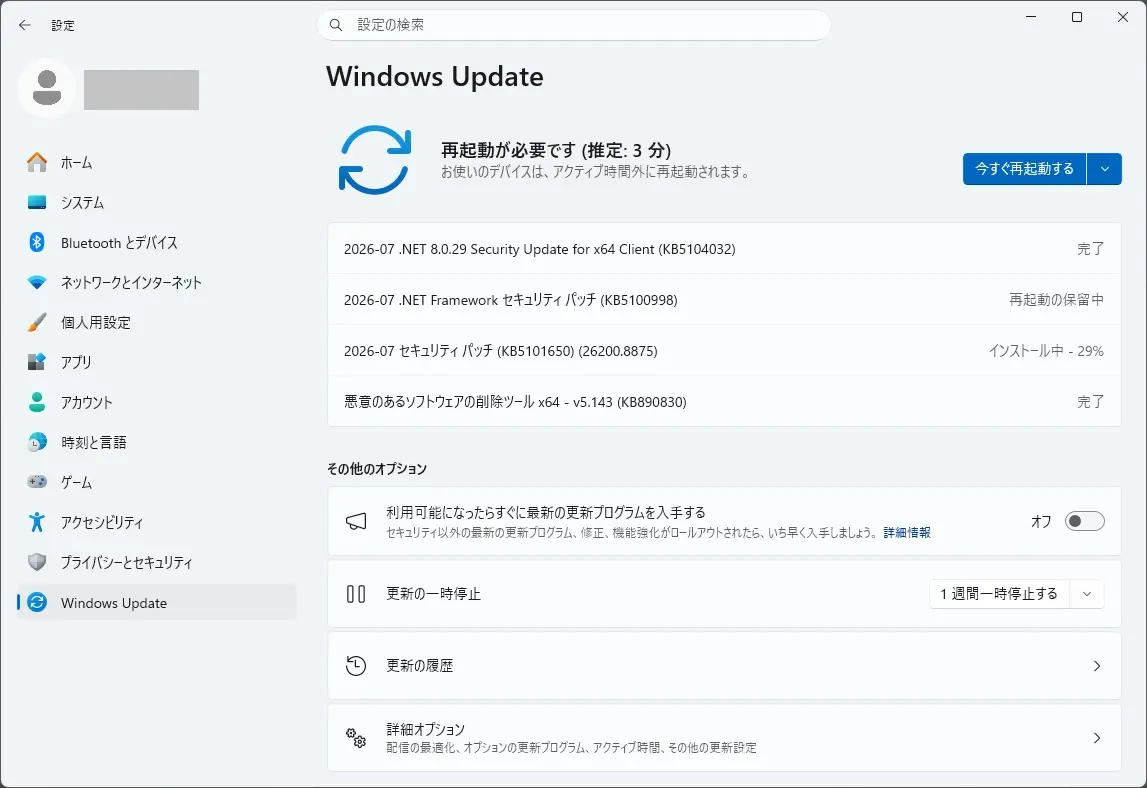
2026-07 セキュリティ パッチ (KB5101650) (26200.8875) も自動適用されました(再起動が必要です)。
手持ちのデスクトップパソコンでは、
インストール完了となるまで:約20分強でした。
再起動からアップデート完了まで:約7分弱(途中2回再起動あり)でした。
ダウンロードは、約7分弱を要しました。
「状態: ダウンロード中 – 0%」 で、1分弱変化しませんでした。
「状態: ダウンロード中 – 6%」 で、2分半弱変化しませんでした。
「状態: ダウンロード中 – 96%」 で、2分強変化しませんでした。
「状態: インストール中 – 10%」 で、40秒強変化しませんでした。
「状態: インストール中 – 12%」 で、30秒弱変化しませんでした。
「状態: インストール中 – 14%」 で、30秒弱変化しませんでした。
「状態: インストール中 – 17%」 で、40秒弱変化しませんでした。
「状態: インストール中 – 19%」 で、30秒弱変化しませんでした。
「状態: インストール中 – 22%」 で、1分半弱変化しませんでした。
「状態: インストール中 – 29%」 で、1分弱変化しませんでした。
「状態: インストール中 – 73%」 で、2分半弱変化しませんでした。
「状態: インストール中 – 96%」 で、30秒強変化しないといった過程を経て、「今すぐ再起動する」表示が出ました。
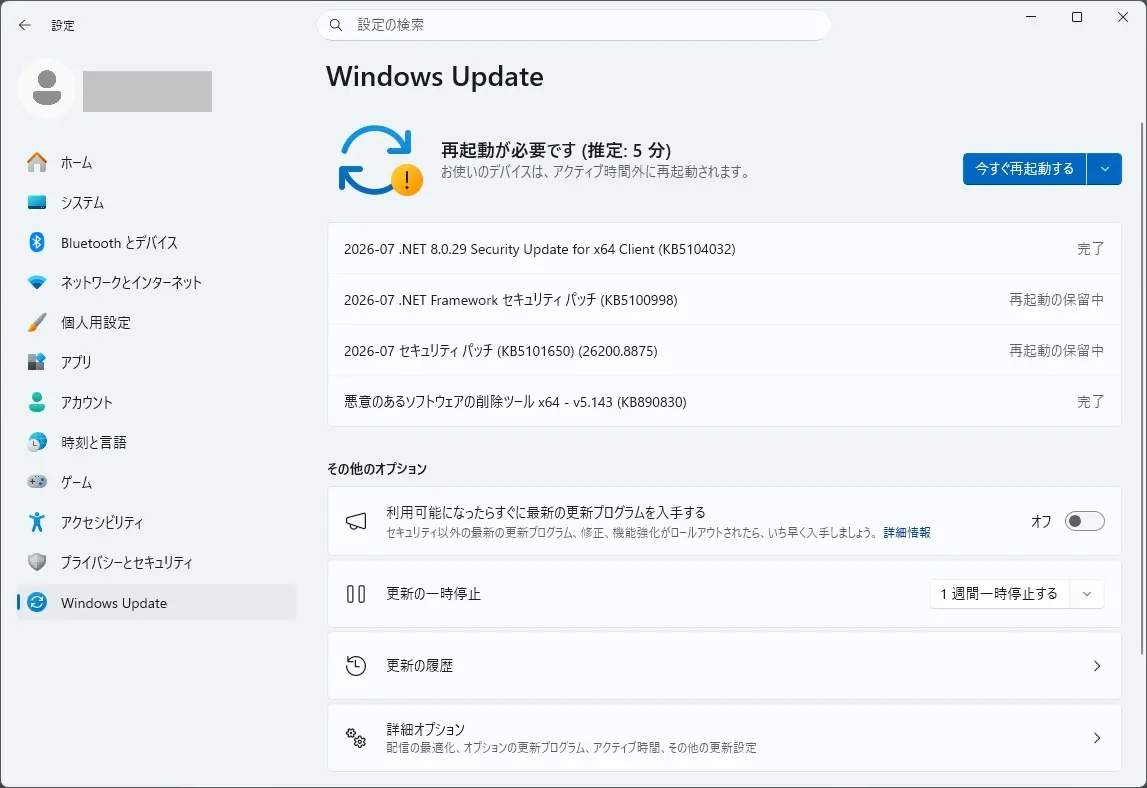
「今すぐ再起動する」を押すと、
「更新が進行中です。」
「30% 完了。」が表示されたあと、再起動が発生しました。
「100% 完了。」が表示されたあと、再起動が発生しログイン画面が表示されました。
本日のアップデートで、
KB5101650 適用前
エディション Windows 11 Pro
バージョン 25H2
インストール日 2024/12/13
OS ビルド 26200.8655
エクスペリエンス Windows 機能エクスペリエンス パック 1000.26100.315.0
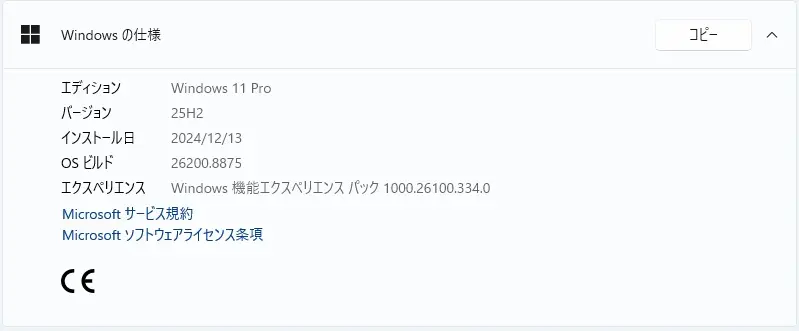
KB5101650 適用後
エディション Windows 11 Pro
バージョン 25H2
インストール日 2024/12/13
OS ビルド 26200.8875
エクスペリエンス Windows 機能エクスペリエンス パック 1000.26100.334.0
となりました。
OS ビルドが 26200.8655 から 26200.8875 に変わりました。
エクスペリエンス Windows 機能エクスペリエンス パックが 1000.26100.315.0 から 1000.26100.334.0 に変わりました。
再度、Windows Update の更新プログラムのチェックをクリックしてみました。
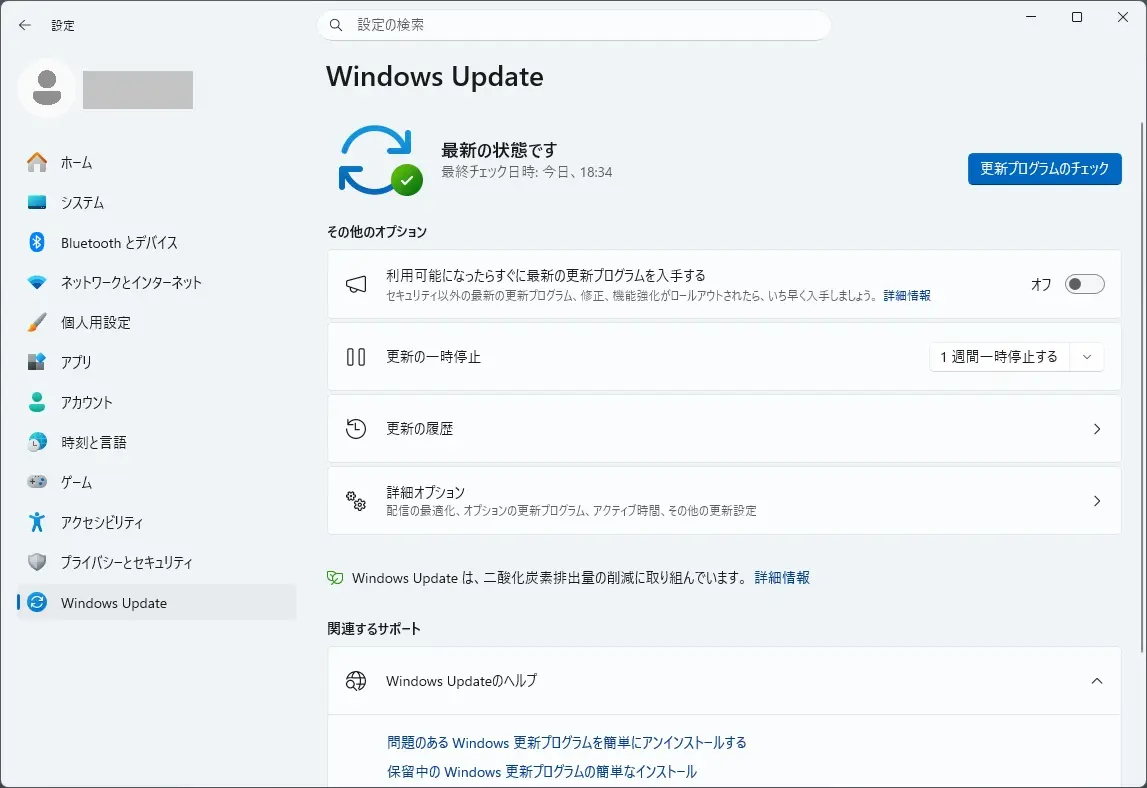
新たに自動追加されるアップデートは、ありませんでした。
次に、詳細オプションのオプションの更新プログラムも確認しました。
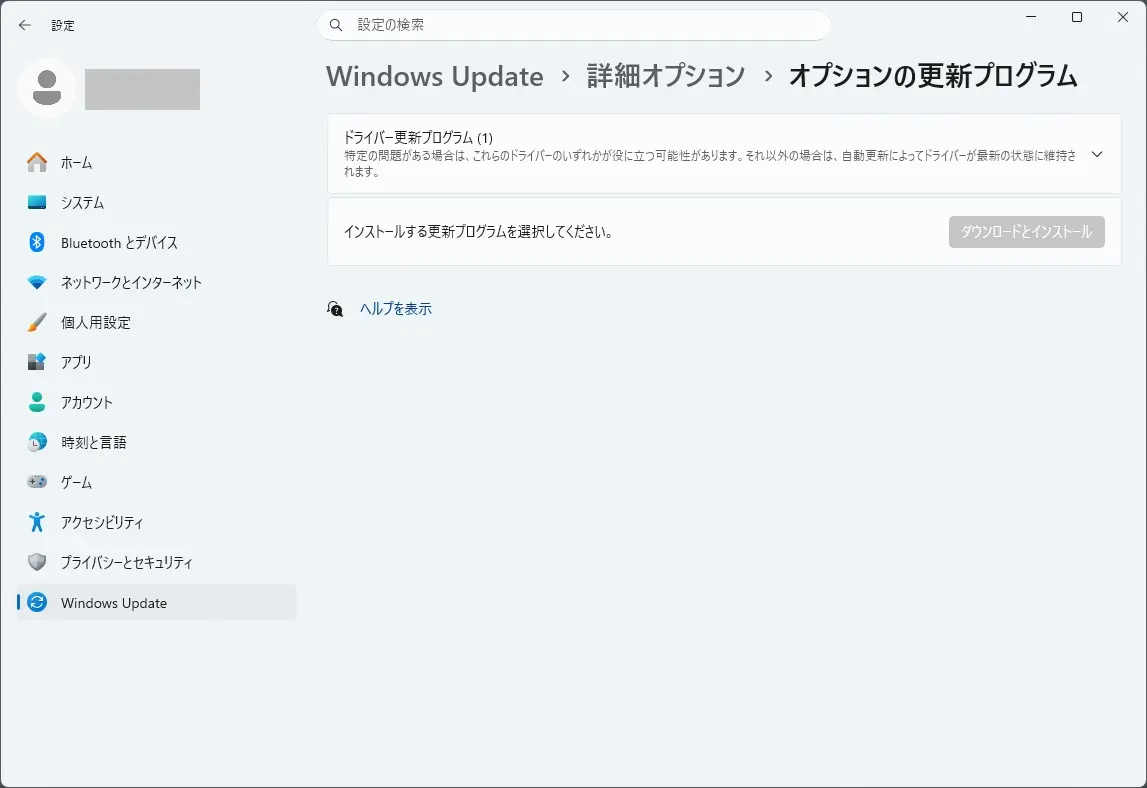
こちらも新たに自動追加されるアップデートは、ありませんでした。
セキュリティ更新プログラム リリース スケジュール (2026年) は、こちらから確認できます。

次回のセキュリティ更新プログラム公開予定日は、日本標準時2026 年 8 月 12 日 (水)となっています。
Windows 11 Home and Pro において、
Version 24H2 は、2026年10月13日でサポート終了が予定されています。
Version 23H2 は、2025年11月11日でサポート終了となりました。
Version 22H2 は、2024年10月8日でサポート終了となりました。
Version 21H2 は、2023年10月10日でサポート終了となりました。

バージョン 開始日 終了日 Version 24H2 2024年10月1日 2026年10月13日 Version 23H2 2023年10月31日 2025年11月11日 Version 22H2 2022年9月20日 2024年10月8日 Version 21H2 2021年10月4日 2023年10月10日
Windows Update に、Version 25H2 が表示されましたので、25H2にしてみました。