



確認したWindowsのバージョン
以下のWindows機で、確認しました。
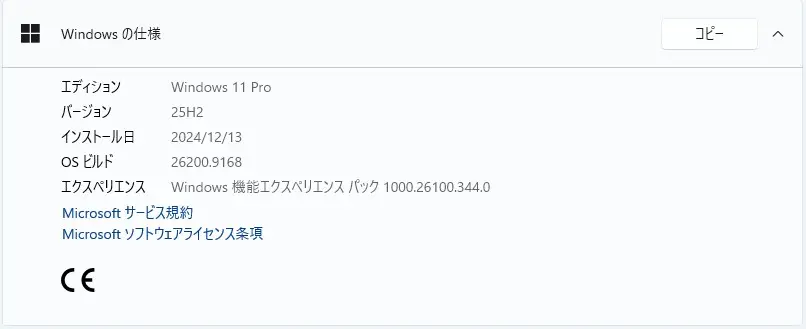
Windows 11 Version 25H2 PC です。
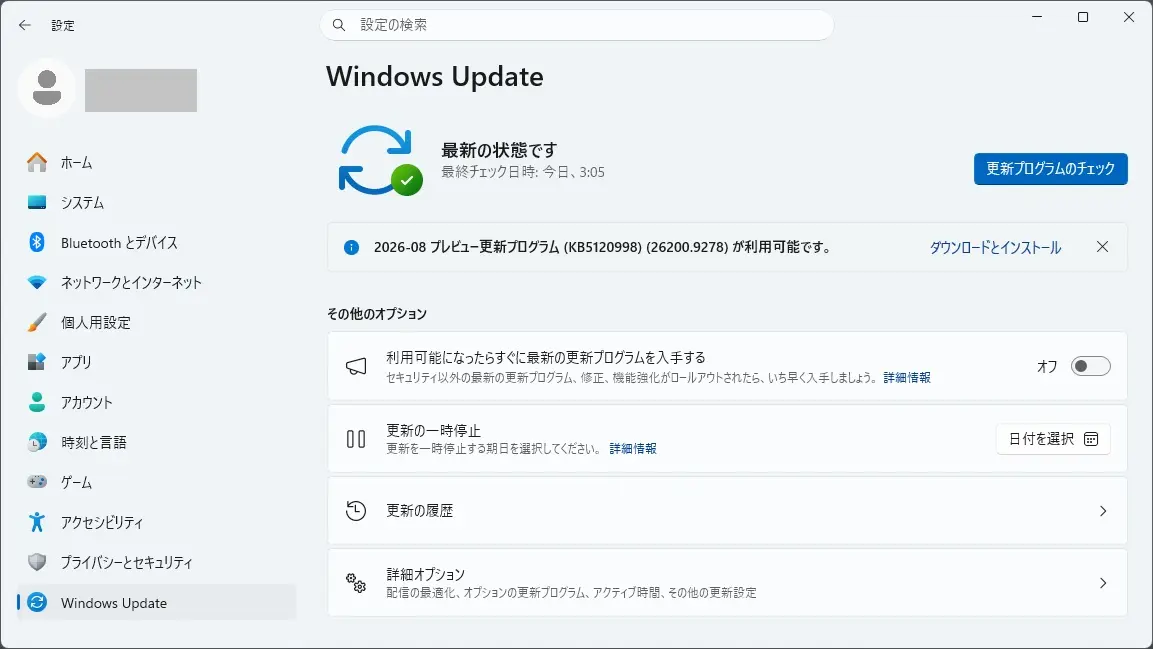
Windows Update に 2026-08 プレビュー更新プログラム (KB5120998)(26200.9278) が表示されました。
更新プログラムの内容
KB5120998 は、こちらから確認できます。

お知らせとメッセージ
このセクションでは、お知らせ、変更ログ、サポート終了のお知らせなど、このリリースに関連する重要な通知を提供します。
Windows セキュア ブート証明書の有効期限
重要: ほとんどの Windows デバイスで使用されるセキュア ブート証明書の有効期限は、2026 年 6 月以降です。 Microsoft は、過去数か月間、コンシューマーおよび非管理対象のビジネス デバイスでこれらの証明書を更新してきました。 新しい証明書を受け取っていないデバイスは引き続き正常に起動して動作し、標準の Windows 更新プログラムは引き続きインストールされます。 更新された証明書は、今後数か月間、引き続き Windows Update を通じて配信されます。 詳細については、「 Windows セキュア ブート証明書の有効期限と CA 更新プログラム」を参照してください。
更新プログラムの終了
Windows 11 バージョン 24H2 Home および Pro エディションは、2026 年 10 月 13 日に更新が終了します。 これらのエディションを実行しているデバイスは、既知の問題の修正、タイム ゾーンの更新、テクニカル サポート、または最新のセキュリティの脅威からの保護を含む毎月のセキュリティ更新とプレビューを受け取ることができなくなります。 Enterprise エディションと Education エディションは 、2027 年 10 月 12 日までサポートされます。
保護を維持し、最新の状態を維持するには、Windows 11 の最新バージョンにアップグレードすることをお勧めします。
変更ログ
日付の変更 変更の説明 2026 年 9 月 4 日 追加された既知の問題: 一部のデバイスでデスクトップの背景設定が失われるか、リセットされる。 2026 年 9 月 3 日 追加された既知の問題: ARM ベースのデバイスで Microsoft Teams と Outlook を起動できない場合があります。 2026 年 9 月 2 日 追加された既知の問題: 英語以外の Windows デバイスでマウスのカスタマイズがリセットされます。 ハイライト
この更新プログラムは、段階的なロールアウトと通常のロールアウトの 2 つのリリース フェーズで利用可能です。 段階的な ロールアウト では、段階的に更新プログラムが提供されるため、機能が一度にすべてではなく時間の経過とともにデバイスに届きます。つまり、可用性はデバイスによって異なります。 通常のロールアウトとは、対象となるすべてのデバイスへの同時に広範なリリースであり、通常は一般提供 (GA) に達したときに行われます。
段階的なロールアウト
次の概要では、新しい Windows 11 PC エクスペリエンスと、機能強化と修正プログラムの概要を示します。 角かっこ内の太字は、変更の項目または領域を示しています。
タスク バー
- この更新プログラムにより、作業方法に合わせてタスク バーをカスタマイズし、画面スペースをより有効に活用する方法が増えます。
- 新機能! タスク バーを画面の下部、上部、左側、または右側のどこに表示するかを選択できるようになりました。 これらの他の位置では、ツールヒント、ポップアップ、アニメーションは引き続きタスク バーから表示され、タスクバー アイコンを結合しないなど、ほとんどのカスタマイズ設定はすべての場所で機能します。 検索ボックスと小さいタスク バーは、現在、上部と下部の位置でのみサポートされています。 タスク バーの位置を変更するには、[設定] > [個人用設定] > [タスク バー] > [タスク バーの動作] > [タスク バーの位置] に移動します
- 新機能! 小さなデバイスで画面スペースを最大限に活用するために、小さいタスク バー オプションが利用可能になりました。 このエクスペリエンスにより、スタート、検索、システム トレイなどの主要な機能へのアクセスを維持しながら、タスク バー アイコンのサイズとタスク バーの高さを縮小できます。 タスク バーのサイズを変更するには、[設定] > [個人用設定] > [タスク バー] > [タスク バーの動作] > [タスク バーのサイズ] に移動します。 [ 小] に設定すると、アイコンとタスク バーの高さの両方が小さくなります。
- 新機能! タスク バー設定ページのタスク バーの動作 セクションが既定で展開され、検出性が向上しました。
- この更新プログラムは、タッチ以外の PC のタスク バーのシステム トレイ領域を読み込む際の信頼性を高めます。
- この更新プログラムにより、スタート メニューがより個人用になり、いくつかのカスタマイズが加えられます。
- 新機能! 現在利用可能な “自動 (既定)” に加えて、小さいスタート メニューまたは大きいスタート メニューから選択できます。 これをカスタマイズするには、[ 設定] > [個人用設定] > [スタート] > [スタート] メニューのサイズ] に移動します。
- 新機能! [スタート] メニューと [設定] ページ ([設定] > [ > の個人用設定]) の [おすすめ] セクションの名前が [最近] に変更されました。
- 新機能! これで、[ 設定] > [ > のパーソナライズ] [スタート] > [スタート画面で名前とプロフィールの写真を非表示にする] に移動して、自分の名前とプロフィール写真を非表示にできるようになりました。
- 新機能! スタート メニューの設定ページの外観が変更され、セクション レベルのトグルにより、ピン留め、おすすめ、すべてを個別に表示または非表示にできるようになりました。
Windows Search
- この更新プログラムには、Windows Search の信頼性が向上し、スキャンが容易で、クリックする前により明確になるように改善が含まれています。
- 新機能! 検索ホームが簡素化され、視覚的な煩雑さが減り、最近の検索にすばやく戻りやすくなりました。
- 新機能! 検索では、アプリ、設定、ファイル、Web 結果、ストアのおすすめなど、結果がどこから来るのかをより適切に表示できるため、クリックする前に、何を見ているのか、どこに移動するのかを簡単に確認できます。
- 新機能! [ 設定] > [プライバシー] & [セキュリティ] > [検索 ] の新しい設定を使用すると、Web と Microsoft Store の候補をローカル結果と共に表示するかどうかを選択できます。
- 新機能! Windows は、最もよく使用されるフォルダーに自動的にインデックスを付けて、それらのファイルを後続の検索結果に表示するようになりました。 [設定] > [プライバシー] & [セキュリティ] > [検索] > [関連する追加の場所を自動的に検索する] で設定を制御できます
エクスプローラー
- 新機能! エクスプローラー ホームの起動が高速化され、応答性が向上しました。
- 新機能! ホームの [おすすめ] セクションでタッチ スクロールがサポートされ、カルーセルでファイルを参照しやすくなりました。
一般的なデザイン
- 新機能! この更新プログラムでは、Windows 全体で更新された進行状況インジケーターが導入され、起動、サインイン、再起動、シャットダウン、更新プログラムのインストール時により一貫性のある最新のエクスペリエンスが提供されます。
- 新機能! この更新プログラムにより、職場または学校のアカウントでサインインしたユーザーが共有ウィンドウから直接、関連するアプリを見つけてインストールできる機能が追加されます。 このエクスペリエンスを管理するには、[ 設定] > [システム] > [共有 ] に移動し、[ 共有サーフェイスにおすすめのアプリを表示する] を選択します。
管理者の保護
- 新機能!管理者保護 は、管理者の自由なフローティング管理者権限を保護することを目的としています。 これにより、ユーザーは Just-In-Time 特権を使用して管理タスクを実行できます。 管理者の保護は、正式なセキュリティ境界として分類されません。プロファイルの分離を導入することで、特権の昇格攻撃に対するセキュリティを強化します。 この機能は既定でオフになっており、Microsoft Intune の OMA-URI またはグループ ポリシーを使用して有効にすることができます。 この機能は以前に 2025 年 10 月 (KB5067036) に公開されており、現在ロールアウトを開始しています。
複数のデスクトップ
- 仮想デスクトップ間の切り替えがよりスムーズで応答性が向上しました。
ディスプレイとグラフィックス
- この更新プログラムにより、システム > ディスプレイ>設定への移動と操作の信頼性が向上します。
- この更新プログラムにより、省電力機能がオフになった後の以前の明るさ設定の持続性が向上します。
タスク マネージャー
- この更新プログラムにより、タスク マネージャーでのアプリの履歴情報表示の信頼性が向上します。
[Windows セットアップ]
- この更新プログラムにより、Windows のセットアップ中にセカンダリ キーボードを選択する際のエクスペリエンスが合理化され、不要なときにスキップしやすくなります。
- この更新プログラムにより、デバイスのカスタマイズや新機能の発見に役立つ、新しいアプリのインストール、サイトのピン留め、テーマのページでは じめにアプリ が改善されます。
Windows Update
- この更新プログラムにより再起動動作が改善され、自動スリープが [なし] に設定されている場合でも、手動でスリープ状態にした PC が更新の完了後にスリープ状態に戻ります。
アプリの更新
- この更新プログラムでは、参加アプリが Windows Update と更新プログラムを調整するためのサポートが追加されます。 サポートされているアプリは、スケジュールの改善と更新エクスペリエンスの合理化の恩恵を受けることができます。 詳細については、「Windows Update オーケストレーション プラットフォーム (UOP)」を参照してください。
Microsoft Store
- 新機能! この更新プログラムは、昇格を必要とするパッケージ化された WinUI 3 アプリでのアプリ内購入のサポートを提供し、開発者が Microsoft の統合コマース プラットフォームを通じて購入を提供できるようにします。
Windows Autopilot デバイスの準備
- 新機能! Windows Autopilot デバイスの準備のデバイス関連付けが一般提供になりました。 この機能は、組織が登録前に信頼できるデバイスを識別するのに役立ちます。これにより、デバイスを対象としたポリシー、自動企業デバイス登録、および Out-of-Box Experience (OOBE) 中の追加のセットアップ カスタマイズが可能になります。 詳しくは、「 Windows Autopilot デバイスの準備」をご覧ください。
Microsoft 実行コンテナー
- 新機能! この更新プログラムでは、Microsoft 実行コンテナーのプロセス分離 (MXC) が導入されています。これは、コーディング エージェントやモデル生成コードなどの応答性の高いワークロードのための高速で軽量な境界です。 Windows オペレーティング システムの封じ込め機能を使用して、ファイル、ネットワーク、ユーザー インターフェイス、その他のオペレーティング システム機能などのリソースへのアクセスをポリシーに従って制限します。
エージェント プロセス
- 新機能! この更新プログラムにより、エージェント プロセスにタグ付けするためのプレビュー プラットフォーム サポートが導入されます。 承認されたコンポーネントは、不透明なエージェント識別子をプロセス トークンに割り当てることができます。 Windows はマーキングを保護し、自動的に子プロセスに渡します。 エージェント プロセスが Web アカウント マネージャー (WAM) を介して認証を行うと、WAM はプロセス トークンからのエージェント識別子を認証要求に含めます。 プレビュー機能として、識別子形式は将来のリリースで変更される可能性があります。
Cryptography
- 新機能! ポスト量子暗号アルゴリズム ML-KEM は、以前に追加したハイブリッド グループに加えて、TLS キー交換のスタンドアロン アルゴリズムとして使用できるようになりました。
ネットワーク
- この更新プログラムにより、プロセスの応答を停止させる可能性がある潜在的な VPN プロセス関連のバックグラウンドからの回復性と回復が向上します。
- この更新プログラムにより、日本語ユーザー向けの netsh wlan show wlanreport コマンドの出力が向上します。
入力
- この更新プログラムは、ハングの可能性を減らすことで、日本語 IME での入力の信頼性を向上させます。
- この更新プログラムにより、自動句読点とランチャーの音声入力設定の永続性が向上します。
Windows Management Instrumentation コマンドライン (WMIC)
- 2026 年 8 月以降、Windows 11 バージョン 24H2 および 25H2 には、Windows Management Instrumentation コマンドライン (WMIC) ユーティリティが含まれなくなります。 WMIC は、Windows 11 バージョン 24H2 および 25H2 の新規インストールでは既定ですでに削除されており、オンデマンド機能 (FoD) として使用できなくなります。 この変更は、WMIC ユーティリティにのみ影響します。Windows Management Instrumentation (WMI) は引き続きサポートされます。 詳細情報: Windows からの Windows Management Instrumentation コマンドライン (WMIC) の削除。
通常のロールアウト
このセキュリティ以外の更新プログラムでは、品質が強化されました。 次の概要では、インストール後に KB 更新プログラムによって対処される主な問題の概要を示します。 また、利用可能な新機能も含まれています。 角かっこ内の太字は、変更の項目または領域を示しています。
アクセシビリティ
- この更新プログラムにより、ナレーターでの Natural Voices エクスペリエンスが向上し、設定ダイアログから Natural Voices が正常にインストールおよび設定できるようになります
アプリ
- この更新プログラムにより、RemoteApp アプリケーションでの日本語テキスト入力が改善され、入力中にテキストが正しく表示されるようになりました。
Outlook
- この更新プログラムにより、日本語デバイス上の従来の Outlook での検索機能が向上し、送信済みアイテムおよび高度な検索での検索で、正しい「宛先」ラベルが表示され、期待どおりの結果が返されます。
ポインター
- この更新プログラムにより、一部のデバイスでタッチパッドの信頼性が向上し、タッチパッド ジェスチャとマウス ドラッグ アクションが期待どおりに応答するようになります。
以前の更新プログラムをインストールした場合、デバイスは、このパッケージに含まれている新しい更新プログラムのみをダウンロードしてインストールします。
コンポーネントの更新
AI コンポーネント
このリリースでは、次の AI コンポーネントがバージョン 1.2608.951.0 に更新されます: 画像検索、コンテンツ抽出、セマンティック分析、設定モデル。
詳細については、「 AI コンポーネントのリリース情報」を参照してください。
サービス スタック更新プログラム (SSU)
Windows Update インストール プロセスの信頼性を向上させる KB5120997 (ビルド 26100.9270) が含まれています。 SSU の詳細については、「 サービス スタック更新プログラムのオンプレミス展開の簡素化」を参照してください。
この更新プログラムには、既知の問題が存在しています。
英語以外の Windows デバイスでマウスのカスタマイズがリセットされる
現象
2026 年 8 月 27 日 (KB5120998) 以降にリリースされた Windows 更新プログラムのインストール後、マウスの個人用設定は特定の標準設定に戻ります。 これには、Windows の [マウスのプロパティ] オプションで選択されているカーソルとカーソルのアニメーションが含まれます。
調査によると、この問題は英語以外の Windows インストールで使用されるコード コンポーネントが原因であることがわかっています。 影響を受けるロケールでは、これらの設定の読み込みに失敗するため、代わりに既定値が使用されます。 設定値を手動で復元しようとすると、値に関係なくこれらの設定を読み込めないため、うまくいきません。
次のステップ
今後の Windows 更新プログラムで、この問題の解決策をリリースできるよう取り組んでいます。 さらに詳しい情報が入手でき次第、最新情報を提供します。
ARM ベースのデバイスで Microsoft Teams と Outlook を起動できない場合がある
現象
2026 年 8 月 11 日以降にリリースされた Windows セキュリティ更新プログラムをインストールすると、Surface Pro 11 や KB5121003 Surface Laptop 7 などの ARM ベースのデバイスで、Microsoft Teams と新しい Outlook for Windows が起動しなかったり、予期せず終了したりする可能性があります。 従来の Outlook、Word、Excel、およびその他のアプリケーションは、影響を受けることはありません。 この問題は、Microsoft Store の更新プログラムをまだインストールしていない、新しい PC またはイメージを新しく作成した PC で発生する可能性が最も高くなります。
回避策
この問題を回避するには、次の操作を行います。
- Microsoft Store を開きます。
- [ダウンロード] > [更新プログラムの確認] を選択します。
- 自動スーパー解像度パッケージ (バージョン 1.0.19.0 以降) の最新の更新プログラムをインストールします。
次のステップ
今後の Windows 更新プログラムで、この問題の解決策をリリースできるよう取り組んでいます。 さらに詳しい情報が入手でき次第、最新情報を提供します。
一部のデバイスでデスクトップの背景設定が失われるか、リセットされる
現象
202 KB5120998 6 年 8 月 27 日以降にリリースされた Windows 更新プログラムのインストール後、一部の Windows デスクトップ設定の読み込みに失敗し、デスクトップの背景が黒一色で表示されます。 スライドショー設定やコントラスト テーマなど、他のデスクトップ設定も影響を受ける可能性があります。 影響を受けるデバイスでは、カスタマイズした設定を手動で復元しようとしても機能しません。 これは、この問題により、値に関係なく設定を正しく読み込めないためです。 この場合、既定の黒の背景が代わりに使用されます。
回避策
今後の Windows 更新プログラムで、この問題の解決策をリリースできるよう取り組んでいます。 さらに詳しい情報が入手でき次第、最新情報を提供します。
全ての現象において回避策が公開されています。
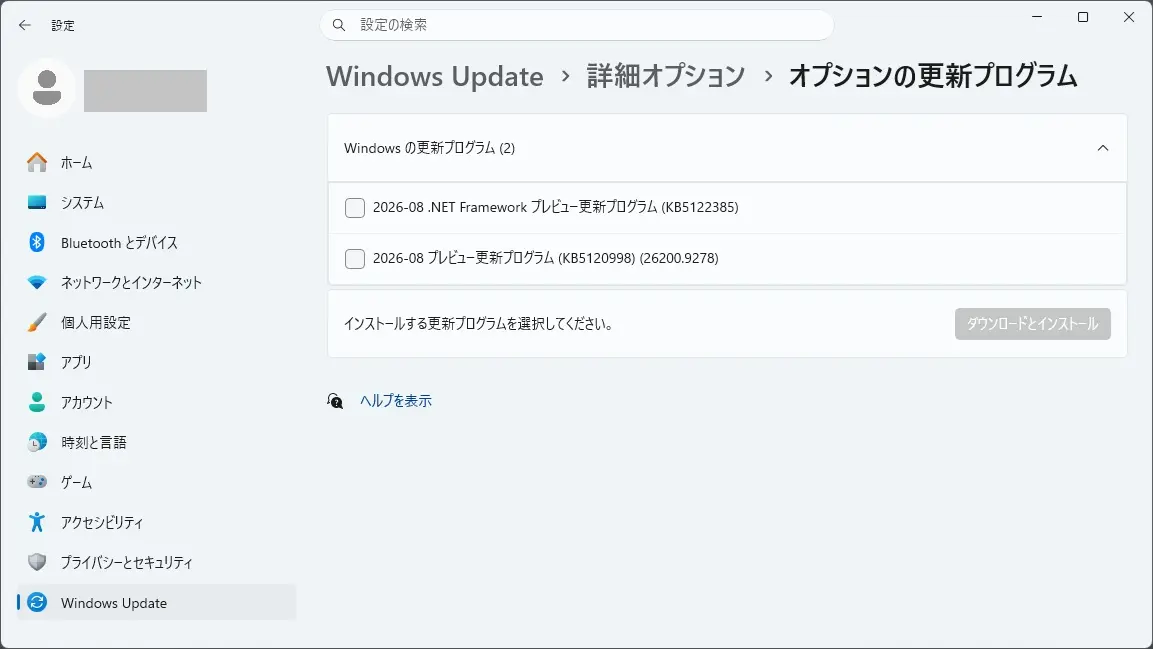
2026-08 .NET Framework プレビュー更新プログラム (KB5122385) も、表示されました
2026-08 .NET Framework プレビュー更新プログラム (KB5122385) も、表示されました。
KB5122385 は、こちらから確認できます。

概要
セキュリティの機能強化
このリリースには、新しいセキュリティの改善はありません。 この更新プログラムは累積的であり、以前にリリースされたすべてのセキュリティ強化が含まれています。
品質と信頼性の強化
エリア 機能強化 .NET の基礎 – 一部の 64 ビット .NET Framework シナリオで断続的なクラッシュが発生する可能性がある問題に対処します。
このアップデートに関する既知の問題は、見受けられていない模様です。
まとめ
2026年8月28日、 Windows Update に 2026-08 プレビュー更新プログラム (KB5120998)(26200.9278) が表示されました。
現在、特に不具合は見受けられませんので、様子見としました。
セキュリティ更新プログラム リリース スケジュール (2026年) は、こちらから確認できます。

次回のセキュリティ更新プログラム公開予定日は、日本標準時2026 年 9 月 9 日 (水)となっています。
Windows 11 Home and Pro において、
Version 24H2 は、2026年10月13日でサポート終了が予定されています。
Version 23H2 は、2025年11月11日でサポート終了となりました。
Version 22H2 は、2024年10月8日でサポート終了となりました。
Version 21H2 は、2023年10月10日でサポート終了となりました。

バージョン 開始日 終了日 Version 26H1 2026年2月9日 2028年3月14日 Version 25H2 2025年9月29日 2027年10月12日 Version 24H2 2024年9月30日 2026年10月13日 Version 23H2 2023年10月30日 2025年11月11日 Version 22H2 2022年9月19日 2024年10月8日 Version 21H2 2021年10月3日 2023年10月10日
Windows Update に、Version 25H2 が表示されましたので、25H2にしてみました。